
What are custom beats with stems and why do they matter?
Custom beats with stems are the real move for artists who want control without starting from scratch. Instead of getting one flat stereo file, you receive a beat broken into grouped subfiles, each one a mini-mixdown of related sounds. Think a drums stem, a bass stem, a melody stem, and sometimes a vocal chop or FX stem, all mixed and balanced the way the producer intended.
Here is why that matters for your workflow:
Creative control: You can mute, boost, or rearrange individual elements without touching the rest of the track.
Mix preservation: Stems keep the producer’s original balance intact while giving you room to customize around your vocals.
Versatility: Video creators use stems to edit music structure to fit visuals precisely, dropping drums or bass at specific timecodes.
Live performance: DJs and performers can isolate and mix elements) dynamically on stage.
Collaboration: Stems make it easier to hand off a project to a mixing engineer without sending hundreds of raw tracks.
Key benefits of using stemmed beats for your music
Working with stems changes how you build a record. The advantages go beyond just having extra files.
Flexibility without compromise: You can rearrange the beat’s structure, extend a section, or cut a drop while the original production quality stays locked in.
Vocal tailoring: If the melody clashes with your flow, you can lower just that stem instead of fighting the whole mix.
Faster mixing sessions: Stems cut your track count down to a manageable handful, which speeds up the mixing prep process significantly.
Multimedia use: Stems let you build music dynamically for video, starting with just keys, then bringing in drums and bass as the visuals progress.
Remix-ready: Having stems means a collaborator or producer can grab specific sounds and reimagine the track without reverse-engineering the mix.
Mastering efficiency: A mastering engineer can work with stem groups rather than a full multitrack, saving time and reducing back-and-forth.
What you actually get when you buy beats with stems
Knowing what comes in the package before you pay matters. Most producers who sell custom beats with stems deliver a set of organized, labeled files that cover the track’s main elements.
Standard stem groups: Drums, bass, melody or instruments, and sometimes a vocal chop or FX layer. Epidemic Sound, for example, organizes stems into four categories: melody, instruments, drums, and bass.
File formats: Stems typically come as WAV or MP3 files, compatible with every major DAW including Ableton Live, FL Studio, Logic Pro, and Pro Tools.
Dry vs. wet stems: Dry stems have no effects applied, giving you maximum mixing flexibility. Wet stems come with the producer’s reverb, delay, and processing baked in, which is useful when you want the original sound character preserved.
Licensing: Premium stem licenses for urban genre beats have become the standard, covering commercial use and remixing rights. Always confirm whether the license covers streaming, sync, or both before you commit.
Clear labeling: A professional producer will name each file clearly, like “Beat_Name_Drums.wav” or “Beat_Name_Bass.wav,” so there is no guesswork when you load them into your session.
How to order or create custom beats with stems for trap and hip-hop
Getting the right stems starts with knowing what to ask for. Whether you are commissioning a producer or building your own, the process is straightforward when you communicate clearly.
Define your vision upfront: Tell the producer your reference tracks, tempo range, key, and the vibe you are going for. The more specific you are, the better the result.
Request specific stem groups: Ask for a separate drum stem, bass stem, melody stem, and any FX or vocal chop layers you want isolated.
Specify dry or wet: If you plan to add your own reverb and effects during mixing, ask for dry stems. If you want the producer’s sound design intact, go wet.
Confirm DAW compatibility: Make sure the stems are exported at the correct sample rate, typically 44.1 kHz or 48 kHz, and in WAV format for the cleanest quality.
For producers creating stems: Group related tracks into buses or aux channels, then export submixes that replicate the overall balance of your mix. Every DAW handles this slightly differently, but the principle is the same across Ableton, FL Studio, and Logic.
Understand the difference between stems and multitracks: Stems are grouped submixes, not raw individual tracks. Confusing the two can lead to extra costs and workflow frustration, so get clear on what you need before you ask.
Pro Tip: Talk to your producer before the beat is finished. Early collaboration on stem structure means your vocals will sit better in the mix from day one, and you will spend less time fixing problems after the fact.
Best practices for working with stems in trap and hip-hop production
Once you have your stems, how you use them determines the quality of your final record. Sloppy stem management wastes time and can hurt your mix.
Organize on import: Label each stem track in your DAW immediately. Color-code by category: drums red, bass blue, melody green. This saves real time during long sessions.
Check stem accuracy first: Before you build around a stem pack, verify stem accuracy by summing all stems and comparing to the original mix. They should sound identical.
Do not confuse stems with multitracks: Stems are already mixed groups. Treating them like raw tracks and trying to re-EQ every element individually defeats the purpose and can break the producer’s intended balance.
Use stems for dynamic arrangement: Build your track section by section. Drop the melody stem in the verse, bring in the full stem stack for the hook. That kind of movement keeps listeners locked in.
Collaboration etiquette: When sharing stems with a mixing engineer or collaborator, include a reference mix so they know what the finished product should sound like.
Check mastering readiness: Make sure your stems are not clipping before you send them to a mastering engineer. Headroom matters.
Pro Tip: Use polarity flipping and cancellation in your DAW to confirm your stems sum correctly to the original mix. If they cancel out cleanly, your stems are accurate and ready for professional use.
Indepthjaybeats delivers the stems and the quality your music deserves


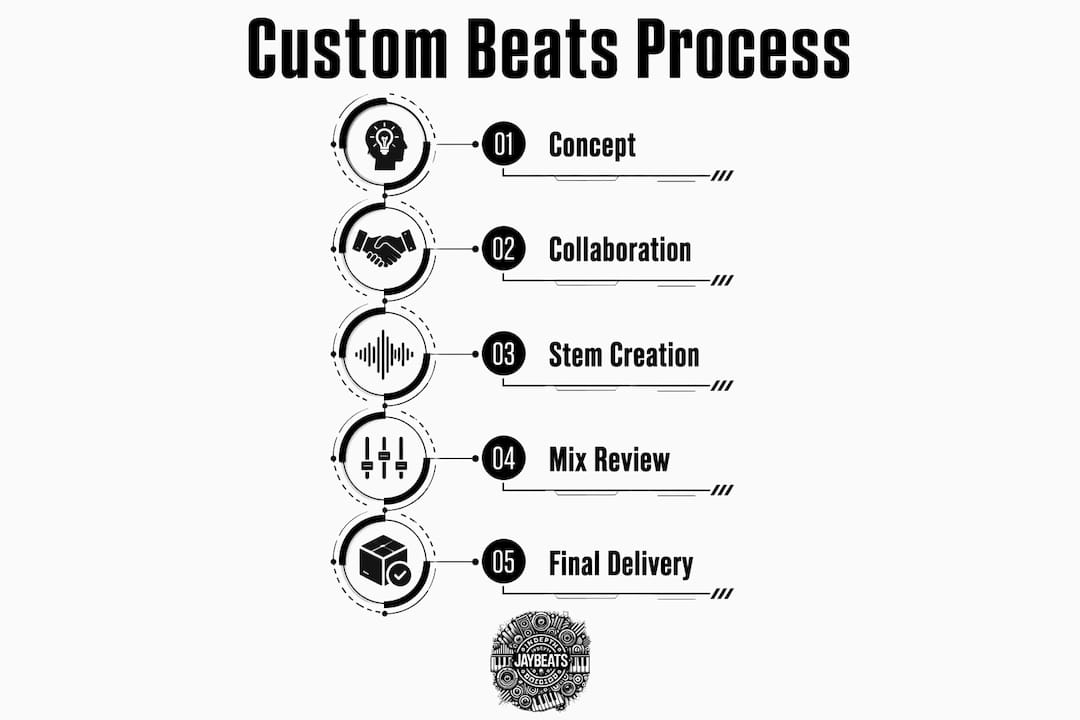
Indepthjaybeats has been in the production game since 2004, building beats that have landed in major placements including WWE 2K25 and Love And Hip Hop Atlanta. That kind of track record does not happen by accident. It comes from understanding what artists actually need, and stems are a big part of that. When you grab trap beats or boom bap instrumentals from Indepthjaybeats, you get production built for real use, not just for streaming. The beats are designed with stem delivery in mind so your mixing sessions stay clean and your creative options stay open. Not sure where to start? Grab a free beat pack first and hear the quality for yourself, then explore the full catalog at Indepthjaybeats to find the sound that fits your project.
Key Takeaways
Custom beats with stems give independent artists the mix control and creative flexibility that a flat stereo file simply cannot provide, making them the standard for serious trap and hip-hop production.
Point | Details |
|---|---|
Stems are grouped submixes | Each stem covers a category like drums, bass, or melody, mixed and balanced by the producer. |
Dry vs. wet matters | Dry stems give you mixing flexibility; wet stems preserve the producer’s original sound design. |
Stems vs. multitracks | Confusing the two leads to extra costs; stems are pre-mixed groups, not raw individual tracks. |
Verify before you build | Use polarity cancellation to confirm stems sum correctly to the original mix before recording vocals. |
Indepthjaybeats | Offers trap and boom bap beats with professional stem delivery, backed by placements in WWE 2K25 and Love And Hip Hop Atlanta. |