
A tracked out beat is a musical composition delivered as separate audio files for each instrument or group of instruments, giving you direct mixing and production control over every element in the record. Most artists buy beats as a single stereo file and never realize they are working with their hands tied. When you understand tracked out audio, you stop settling for what the producer printed and start shaping the sound yourself. This guide breaks down exactly what track outs are, how they are built, and why serious artists and engineers treat them as the professional standard.
What is a tracked out beat vs. a 2-track beat?
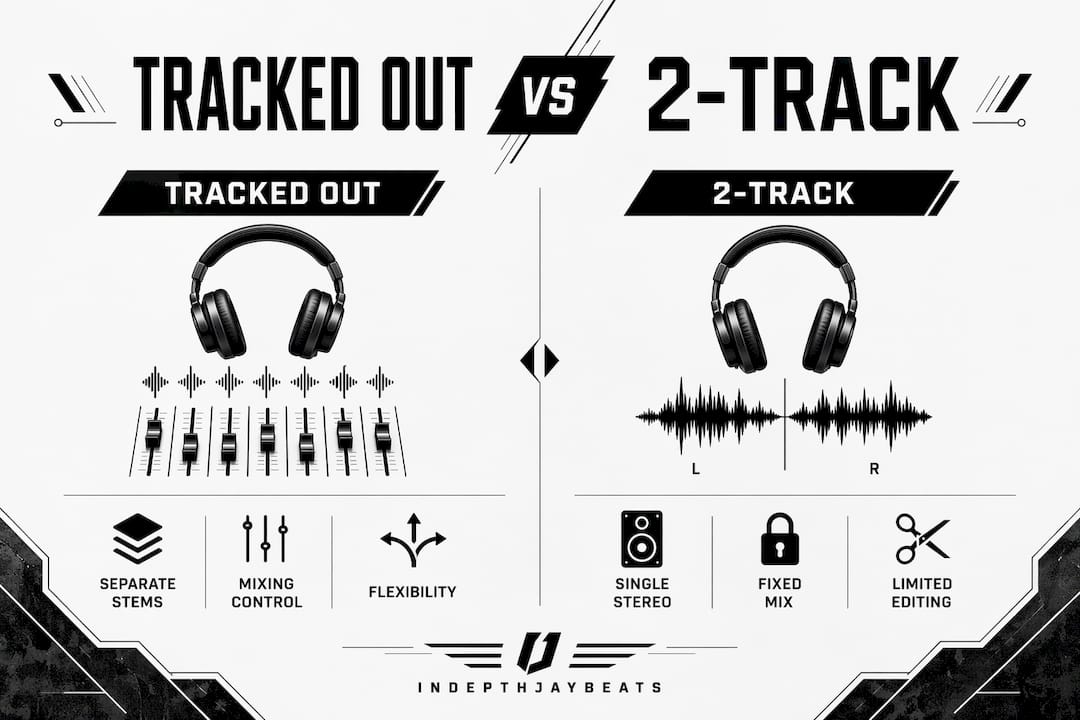
A tracked out beat delivers every element of the production as its own file. The kick lives in one file. The 808 bass lives in another. The melody, hi-hats, snare, and effects each get their own exported audio track. When you load them into a DAW like Pro Tools, Logic Pro, or FL Studio, you control every piece independently.

A 2-track beat is the opposite. Everything is printed together in a single stereo bounce, which means your mixing engineer cannot touch the kick without touching everything else. That limits what any engineer can fix or adjust after the fact. If the 808 is too loud or the snare is buried, you are stuck working around it instead of solving it.
The difference matters most when you record vocals. With a 2-track, you mix your voice against a fixed wall of sound. With track outs, you can pull the melody back, push the kick forward, and carve out space for your voice to sit clearly in the mix. That is the kind of control that separates a demo from a radio-ready record.
Feature | 2-Track Beat | Tracked Out Beat |
|---|---|---|
File format | Single stereo WAV | Multiple WAV files per element |
Mixing control | Limited, full mix only | Full control per instrument group |
Vocal placement | Fixed frequency space | Adjustable to fit vocals |
Remix flexibility | None | Full alternate versions possible |
Engineer workflow | 2-track mix only | Stem mixing with surgical precision |
Pro Tip: If you are recording with a professional mixing engineer, always ask for track outs before you book the session. Showing up with a 2-track when the engineer expected stems wastes studio time and money.
How producers create and format tracked out beats
Producers build tracked out beats inside a DAW by grouping related instruments onto buses, then exporting each bus as its own audio file. The process is straightforward but the details matter. One wrong export setting and the whole session falls apart when someone else opens it.
Here is how a professional track out export works, step by step:
Group instruments logically. Drums get one bus, 808 bass gets another, melodies get their own, and effects or atmospheres get grouped separately. Typical stems include kick, 808, snare and clap, hi-hats, melody, and FX. Each group becomes one exported file.
Export at full song length from Bar 1 Beat 1. Every stem must start at the exact same point in time. Aligned stems starting at Bar 1 guarantee that when you drop all the files into a new session, they snap together perfectly without any timing drift.
Include silence where instruments are not playing. If the melody does not come in until bar 5, the file still starts at bar 1 with four bars of silence. That silence is not wasted space. It is what keeps every stem locked to the same timeline.
Export as 24-bit WAV files. WAV is the standard for professional audio delivery. MP3 compression degrades quality and introduces artifacts that become obvious once you start processing individual stems. Stick to WAV at the same sample rate the beat was produced in, typically 44.1kHz or 48kHz.
Label every file clearly. A folder of files named “audio1.wav” and “audio2.wav” is useless to an engineer. Name each file with the project title and the instrument group: “ProjectName_Kick.wav,” “ProjectName_808.wav,” “ProjectName_Melody.wav.” Clear labeling saves hours of confusion.
Include bus processing in the export. Each stem is a submix that includes the internal balance and bus effects the producer applied. This intermediate stage keeps the stems sounding intentional while still giving the engineer room to work.
Pro Tip: Ask the producer to include an unprocessed version of each stem alongside the processed one. Having a dry kick or a raw 808 gives your mixing engineer maximum flexibility without losing the producer’s original vision.
What practical benefits do you get from tracked out beats?
Working with track outs changes what is possible in your music. Here is what you actually gain:
Individual volume and EQ control. You can turn the 808 down two decibels without touching the kick. You can high-pass the melody to make room for your voice. Stem mixing grants surgical control that a 2-track mix simply cannot provide, no matter how skilled the engineer.
Better vocal clarity. When you can adjust each frequency range independently, your voice finds its own space in the mix. Engineers use the stems to carve out the mid-range where vocals live, which is impossible when the beat is a single locked file.
Alternate mixes and remixes. Want an instrumental version without the melody? Mute that stem. Want a stripped-down version for a trailer or sync placement? Pull out the drums and let the melody breathe. Stems increase opportunities with brand partners, sync supervisors, and collaborators who need the music in different formats.
Collaboration without losing the original. A producer can hand you stems and you can build on top of them without anyone losing the original beat. Stems facilitate additions or changes without compromising the integrity of what was originally created. That is how professional co-productions work.
Professional-grade mixing sessions. Mixing engineers who work on major label projects expect stems. Showing up with track outs signals that you take your craft seriously and that you are ready to work at a professional level.
Understanding music stems is not just a technical skill. It is a mindset shift. You stop being a passive consumer of beats and start being an active architect of your own sound.
Common pitfalls and expert tips for working with track outs
Most problems with tracked out beats come from sloppy exports or poor communication between the artist and producer. These are the mistakes that cost people time, money, and quality.
Misaligned stems destroy sessions. If one stem starts at bar 3 instead of bar 1, every element will be out of sync when you import the files. Exporting full-length aligned stems from Bar 1 Beat 1 is the only way to guarantee a clean import. Always verify alignment before you leave the producer’s session.
Clipping ruins the mix before it starts. Stems that are too loud and hitting the ceiling introduce distortion that cannot be fixed in post. Each stem should have headroom. A good target is peaks sitting around negative 6 dBFS so the mixing engineer has room to work.
Incomplete stems create gaps. If the producer forgets to export the FX layer or the background vocal chop, you lose elements that were part of the original beat. Always compare the stems playback against the original stereo mix to confirm everything is accounted for.
Poor file naming wastes everyone’s time. Generic file names force engineers to audition every file before they can organize the session. Clear, consistent naming conventions are a professional standard, not a preference.
Stems versus multitracks are not the same thing. Multitracks are individual recorded channels. Stems are grouped, mixed-down subsets of those channels. Stems lose individual channel flexibility but gain portability and manageability. Know which one you are asking for before you request files from a producer.
Pro Tip: When you receive track outs, import all stems into your DAW and play them together before your session. If they do not match the original stereo mix exactly, flag it immediately. Catching a sync issue before the engineer starts working saves you from paying for a session that produces unusable results.
Key takeaways
A tracked out beat gives you full control over every element of a production, and that control is the difference between a good record and a great one.
Point | Details |
|---|---|
Definition of track outs | Separate WAV files for each instrument group, not a single stereo mix. |
Alignment is non-negotiable | All stems must start at Bar 1 Beat 1 to stay in sync when imported. |
Stem mixing vs. 2-track | Stems allow surgical adjustments per element; 2-track locks everything together. |
Benefits for artists | Better vocal clarity, remix flexibility, and professional collaboration opportunities. |
Avoid common pitfalls | Check for clipping, verify alignment, and confirm all stems match the original mix. |
Why track outs changed how I think about beats
I have been producing since 2004, and I can tell you exactly when the shift happened for me. Early in my career, I handed artists stereo files and called it done. The records sounded decent, but something was always slightly off once the vocals went on. The mix felt crowded. The artist’s voice competed with the melody instead of sitting inside it.
The first time I delivered a full set of stems to a mixing engineer, the feedback was immediate. He could pull the 808 back just enough to let the low end of the vocal breathe. He could push the snare forward to give the record energy without making the whole beat louder. The final mix sounded like a different record, and the only thing that changed was the format of the delivery.
I tell every independent artist I work with the same thing: if you are serious about your music, stop accepting 2-track files. The beat licensing options you choose should always include track outs, because that is where your creative control actually lives. A sterile mix that sounds fine on the producer’s speakers might fall apart the moment your voice goes on it. Track outs give you and your engineer the tools to fix that before it becomes a problem.
Offering stems does not weaken a producer’s position either. It strengthens the collaboration. When an artist can shape the mix, they invest more in the record. They push it harder. They place it in more projects. That is good for everyone involved.
— IndepthJayBeats
Get professional track outs from IndepthJayBeats
IndepthJayBeats has been building professional-grade trap and boom bap beats since 2007, with placements in productions like WWE 2K25 and Love And Hip Hop Atlanta. Every beat in the catalog is built with mixing flexibility in mind. When you license a beat with track outs, you get the full set of stems organized, labeled, and ready to drop into your DAW. Browse the trap beats catalog for hard 808 trap productions, or check the boom bap beats section for classic hip-hop construction. You can also grab a free beat pack to hear the quality before you commit. Build your record the right way, with the tools to control every layer of the sound.
FAQ
What does “tracked out” mean in music production?
Tracked out means a beat is delivered as separate audio files for each instrument or group, such as kick, 808, melody, and hi-hats, rather than a single combined stereo file. This format gives artists and engineers full control over every element during mixing.
What is a beat stem?
A beat stem is a grouped submix of related instruments exported as a single audio file, such as all drum elements combined into one drums stem. Stems sit between raw multitracks and a finished stereo mix, offering practical control without the complexity of individual channels.
How do I use tracked out beats in my DAW?
Import all stem files into a new session in your DAW, such as Pro Tools, Logic Pro, or FL Studio, and confirm they all start at the same point on the timeline. If the stems were exported correctly from Bar 1 Beat 1, they will snap together and play back as a perfect reconstruction of the original beat.
Are tracked out beats worth the extra cost?
Yes. The mixing control you gain from track outs directly impacts vocal clarity, professional quality, and your ability to create alternate versions for sync placements or remixes. The cost difference between a basic lease and a tracked out license is small compared to the production value you gain.
Do all producers offer tracked out beats?
Not all producers offer track outs by default, but most professional producers can export stems on request. When licensing beats for serious recording projects, always confirm that tracked out audio is included or available as an upgrade before you purchase.