
Yes, you can register a song with BMI or ASCAP if you used a leased beat — as long as your license gives you the right to distribute the track and claim your writer share. That’s the short answer. The longer answer is that PRO registration only collects performance royalties, so you still need to check your lease language, lock in your splits with the producer, and register the composition before your release date. Miss that window and you’re leaving money on the table from day one.
Quick action: pull up your lease agreement right now, look for distribution rights and publishing language, confirm the split with your producer in writing, then register the composition with your PRO before you upload anywhere.
Table of Contents
What do BMI and ASCAP actually collect vs. what the U.S. Copyright Office does?
How your lease type affects your ability to register with a PRO
How do you enter splits and metadata to avoid orphaned royalties?
When should you register, and can you collect royalties retroactively?
What happens if the beat gets sold exclusively after you leased it?
Fast checklist: mistakes independent artists make with leased beats
What do BMI and ASCAP actually collect vs. what the U.S. Copyright Office does?
A lot of artists treat these as the same thing. They’re not, and mixing them up costs you money.
BMI and ASCAP are performance rights organizations (PROs). They collect public performance royalties when your song plays on radio, streaming platforms, in venues, on TV, or anywhere else that requires a public performance license. They do not issue legal copyright, and they do not handle mechanical royalties. Registering with a PRO does not protect you from someone stealing your song in court. That’s a common misconception that trips up producers and artists alike.
Here’s the full map of who collects what:
BMI / ASCAP: Public performance royalties for compositions (radio, streaming, live venues, TV sync)
United States Copyright Office: Legal copyright registration, required to sue for infringement and claim statutory damages
The MLC (Mechanical Licensing Collective): Mechanical royalties for on-demand streams and digital downloads in the U.S.
SoundExchange: Digital performance royalties for sound recordings (not compositions) from non-interactive streaming like Pandora and satellite radio
You need all four working together to capture every dollar your music generates. PRO registration is step one, but it’s only one piece of the puzzle. Skipping the U.S. Copyright Office means you can’t sue if someone bites your record. Skipping The MLC means you’re not collecting mechanicals from Spotify and Apple Music. Skipping SoundExchange means your master recording earns nothing from digital radio.
The bottom line: PRO membership does not equal copyright. You need both PRO registration and a U.S. Copyright Office filing to get legal protection and full collections.
How your lease type affects your ability to register with a PRO
Not all leases are built the same, and the type you bought determines what you can actually do with that track.

Non-exclusive lease
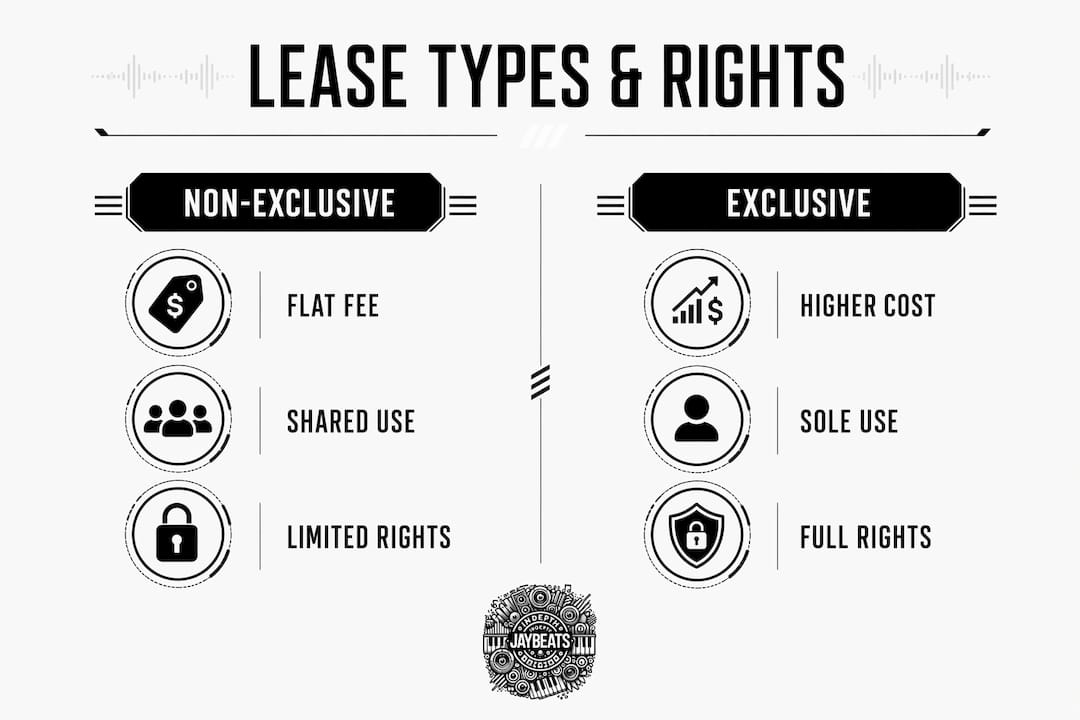
This is the most common purchase on beat sites. You pay a flat fee, get a license to use the beat, and the producer keeps the right to sell that same beat to other artists. Most non-exclusive leases allow you to release the finished song commercially and register your writer share with your PRO. The producer typically retains their underlying copyright in the instrumental, but your lyrics and vocal melody are your original contributions, and that’s what you register. Understanding what you own when you lease a beat is the first thing to get clear on before you touch a PRO form.
Exclusive license
You pay more, the producer pulls the beat from their catalog, and you get sole commercial rights. Exclusive deals usually come with cleaner publishing language and fewer restrictions on distribution, sync, and registration. If you want to claim a publisher share or pitch the track for TV and film, an exclusive is the safer path.
Buyout
Full transfer of rights, often including the underlying copyright in the beat itself. Buyouts are the cleanest situation for PRO registration because there’s no ambiguity about who owns what.
Red flags to watch for in any lease:
Language that says the producer “retains all publishing rights” with no carve-out for your writer share
No mention of commercial distribution or streaming rights
Clauses that restrict sync licensing or TV/film placement
No sublicensing rights, which can block you from pitching to labels or distributors
If your lease has any of these, get clarity before you register anything. Check out the ultimate guide to online beat licensing for a deeper breakdown of what these clauses mean in practice.
What lease clauses should you verify before you register?
Read your license like a contract, because it is one. Here’s what to look for line by line:
Distribution/streaming rights: Does the lease explicitly allow commercial distribution on Spotify, Apple Music, and other DSPs? If it only says “personal use,” you have a problem.
Publishing/publishing share assignment: Does the producer claim any portion of the publishing? If so, what percentage? If it’s silent on this, get it in writing before you register.
Exclusivity language: Is this a non-exclusive deal? Confirm the producer can still sell the beat to others so you’re not surprised later.
Sync and sample clearance: If you want to pitch the track to TV, film, or gaming, the lease must explicitly allow sync licensing.
Sublicensing: Can you sublicense the track to a label or distributor? Some leases block this.
Resale/transfer language: Can the producer sell the exclusive rights to someone else after you’ve already leased it? This is a real conflict risk.
Territory and duration: Is the license worldwide? Does it expire? An expired license means your registration could be challenged.
If any of these clauses are missing or vague, don’t guess. Contact the producer directly and ask for a short written addendum. A one-paragraph clarification covering publishing percentage, distribution rights, and resale restrictions is all you need. Industry practice backs this up: getting that addendum in writing is the single fastest way to protect yourself before registration.
Pro Tip: When you reach out to a producer for an addendum, keep it simple. Something like: “Can you confirm in writing that this lease allows commercial distribution, that I retain my writer share for PRO registration, and that you won’t sell the exclusive to another party?” Most producers will respond quickly. If they won’t, that tells you something.
How do you register a song with BMI or ASCAP step by step?
Once your lease is confirmed and your splits are agreed on, here’s how to get the composition registered:
Choose your PRO and confirm affiliation. You can only be a member of one PRO at a time as a writer. If you’re not yet a member, join BMI (free for songwriters) or ASCAP ($50 one-time fee). The producer may be affiliated with a different PRO — that’s fine, each party registers with their own.
Create your writer account. Log in and locate the “Add Works” or “Register a Work” section. BMI calls it “Repertoire,” ASCAP calls it “Works.”
Decide on your publisher setup. If you want to collect the full 100% of performance royalties (writer share and publisher share), you need to register a publishing entity. This can be a simple DBA (doing business as) or an LLC. Without it, you forfeit the publisher share — effectively leaving 50% of your performance royalties uncollected.
Gather your IPI/CAE numbers. Every writer and publisher in the split needs their IPI (Interested Party Information) number. If the producer is registered with a PRO, they have one. Get it before you submit. Exact IPI matches across PRO entries prevent frozen royalties.
Start a new work registration and enter splits. Input the song title, all writers, all publishers, and the exact percentage each party holds. Splits must add up to 100% on both the writer side and the publisher side.
Enter your ISRC and release date. Your distributor (DistroKid, TuneCore, CD Baby, etc.) assigns an ISRC when you upload. Get that number and enter it in the PRO form. Add the ISWC if your PRO generates one.
Save your confirmation number. Screenshot it. Store it with your lease and split sheet. You’ll need it if a dispute comes up later.
Sample split table for a typical artist/producer arrangement
Party | Role | Writer Share | Publisher Share |
|---|---|---|---|
You (artist) | Lyricist/Topline | — | 100% (if you register a publisher) |
Producer | Composer | 25% | — |
This is a common starting point, but your actual split depends on what’s in your lease and what you negotiate. Some producers ask for a 50/50 writer split. Some ask for a publisher cut. Get it agreed on paper before you touch the PRO form, because some PROs lock splits after submission.
How do you enter splits and metadata to avoid orphaned royalties?
Orphaned royalties are performance royalties that get generated but never paid out because the metadata doesn’t match. This happens more than most artists realize, and it’s almost always preventable.
The critical metadata fields to fill out correctly in every registry:
Field | Why It Matters |
|---|---|
Legal name (writer) | Must match your PRO registration exactly |
Stage name | List both; PROs cross-reference both |
IPI/CAE number | Unique identifier; one typo causes a mismatch |
PRO affiliation | Each writer’s PRO must be listed correctly |
Writer percentage | Must match across all PRO entries |
Publisher name and IPI | Required to route the publisher share |
ISRC | Links the sound recording to the composition |
Release date | Triggers royalty collection start |
Alternate titles | List any working titles or featured-artist title variants |
Metadata mismatches — different titles, missing IPI numbers, wrong percentages — are a leading cause of royalties that never reach creators. If you catch a mismatch after submission, run a repertoire search on your PRO’s portal, contact your distributor to confirm the ISRC, and reach out to PRO support to correct the entry.
Pro Tip: Build a master split sheet in Google Sheets or Notion. One row per song, columns for every writer’s legal name, IPI, PRO, percentage, publisher name, ISRC, and release date. Store signed split agreements in the same folder. When a dispute comes up — and eventually one will — you’ll have everything in one place.
For additional context on how metadata and DMCA accuracy affect royalty routing across platforms, the ViceForge copyright guide covers the mechanics well.
When should you register, and can you collect royalties retroactively?
Register before you release. That’s the rule, and it matters more than most artists think.
PRO registration is not retroactive for performance royalties. Plays that happen before your work is registered in the PRO’s repertoire typically do not generate collectible performance royalties. If your track blows up on Spotify or gets spun on radio before you’ve submitted the work registration, those plays are gone. You can’t go back and claim them.
Key timing points to lock in:
Register the composition with your PRO before or on the day you upload to your distributor.
Register with The MLC as soon as the ISRC is assigned, so mechanical royalties from on-demand streams are captured from day one.
Register with SoundExchange before the track goes live on non-interactive platforms.
File with the U.S. Copyright Office before release if you want to be eligible for statutory damages in an infringement case. Filing after infringement begins limits your remedies to actual damages, which are much harder to prove and collect.
Delaying registration is one of the most common and costly mistakes independent artists make. Registering immediately after distribution prevents lost income and cuts down on reconciliation work later.
What happens if the beat gets sold exclusively after you leased it?
This is a real scenario, and it can get messy fast. Here’s how to protect yourself.
If you bought a non-exclusive lease and the producer later sells the exclusive rights to another artist or label, your existing lease may still be valid depending on the terms and timing. But if the producer also reassigns publishing or registers the composition under different splits, you could end up in a PRO dispute.
Common conflict scenarios:
Producer sells the exclusive after your non-exclusive lease is already active
Producer registers the beat as a composition with different writer splits than what you agreed on
Two artists who both leased the same beat register the same composition separately with conflicting metadata
What to do:
Save your original lease and payment receipt immediately after purchase. Don’t rely on email threads alone.
Request a written confirmation of non-exclusive status at the time of purchase.
If an exclusive sale happens after your lease, contact the producer to confirm your existing license remains valid and get that in writing.
If splits conflict in the PRO system, contact your PRO’s dispute resolution team with your signed split sheet and lease as evidence.
When a PRO places a work in dispute status, royalties freeze until the conflict is resolved. That can take months. A signed split sheet and a clean paper trail are the fastest way to get those royalties released. Signed split sheets and matching metadata are the primary defense against frozen royalties in a dispute.
Building your catalog on original beats with clear ownership is the long-term move that eliminates most of these conflicts before they start.
Where else should you register beyond your PRO?
BMI and ASCAP cover performance royalties for the composition. But your music generates other types of royalties that require separate registrations.
U.S. Copyright Office (copyright.gov): File Form SR to register the sound recording and the underlying composition together. This is what gives you the legal right to sue for infringement and claim statutory damages. Use Form PA if you want to protect the composition separately. Your lease gives you a license to use the beat, so you register your song as a new work that incorporates licensed material. This is standard practice.
The MLC (themechanicalslicensingcollective.com): Handles mechanical royalties from on-demand streaming in the U.S. Register your composition here using the ISRC your distributor assigns. The MLC pays out mechanicals that DSPs owe for every stream of your track.
SoundExchange (soundexchange.com): Collects digital performance royalties for the sound recording from non-interactive digital radio (Pandora, SiriusXM, iHeartRadio). Register as both the featured artist and the rights holder if you own the master. SoundExchange and The MLC collect different revenue types — you need both to capture the full picture.
Mini registration flow:
Distributor assigns ISRC when you upload the track
Register the composition with your PRO (BMI or ASCAP) and The MLC using that ISRC
Register the sound recording with SoundExchange
File copyright with the U.S. Copyright Office (Form SR or Form PA)
Each registry needs the same core data: legal names, IPI numbers, ISRC, release date, and accurate splits. Keep that master split sheet updated and the whole process moves fast. Also register only finished tracks with a distributor-assigned ISRC — cluttering PRO databases with unfinished beats or demo versions creates reconciliation problems down the road.
Fast checklist: mistakes independent artists make with leased beats
Run through this before you upload anything:
Not checking exclusivity language before registering or releasing the track
Failing to register a publisher entity, leaving the publisher share uncollected
Mismatched metadata across PRO, distributor, and The MLC entries
Not saving the original lease and payment receipt in a secure location
Registering unfinished beats or demos in PRO repertoire before they have an ISRC
Forgetting SoundExchange and missing digital performance royalties for the sound recording
Forgetting The MLC and leaving mechanical royalties from streaming uncollected
Skipping the U.S. Copyright Office and losing the ability to sue for infringement
Save your license and get a signed split sheet before you upload. Everything else flows from those two documents.
Producer’s checklist and sample clause language
If your lease is vague, here’s language you can ask the producer to confirm in a short written addendum. These are practical templates, not legal documents — consult an entertainment attorney for anything complex.
Non-exclusive lease distribution clause: “This license grants [Artist Name] the non-exclusive right to commercially distribute, sell, and stream the finished master recording incorporating the instrumental titled [Beat Title] on all digital and physical platforms worldwide for the duration of this agreement.”
Publishing assignment clause: “[Artist Name] retains 100% of the writer’s share of the composition for PRO registration purposes. Producer retains [X]% of the publisher’s share [or: Producer makes no claim to the publisher’s share]. Both parties agree to register their respective shares with their respective PROs.”
Exclusive buyout confirmation language: “Upon receipt of payment of $[Amount], Producer transfers exclusive rights to the instrumental titled [Beat Title] to [Artist Name] and agrees to remove the beat from all licensing catalogs. No further licenses will be issued for this instrumental.”
Sync clearance guidance: If you want to pitch the track to TV, film, or gaming, your lease must say something like: “This license includes the right to synchronize the instrumental with visual media for commercial purposes.” Without that language, sync is off the table.
Pro Tip: When you buy a beat from any producer, send a quick follow-up message asking them to confirm their IPI number and PRO affiliation. Most producers who’ve been in the game a while will have this ready. If they don’t know their IPI, that’s a sign they haven’t registered properly either, and that’s a problem you’ll inherit.
Indepthjaybeats has been producing since 2004 with placements in WWE 2K25 and Love And Hip Hop Atlanta. When you work with a producer at that level, the licensing paperwork is already structured to protect both sides. That’s the difference between a professional beat deal and a handshake that falls apart at registration.
For more on how to license trap beats legally, the Indepthjaybeats blog breaks down current licensing language in plain terms.
Key Takeaways
You can register a song that uses a leased beat with BMI or ASCAP if your license permits distribution and you confirm splits with the producer before submitting the work registration.
Point | Details |
|---|---|
Check the lease first | Verify distribution rights, publishing language, and exclusivity before registering or releasing anything. |
Register before release | PRO performance royalties are not retroactive — plays before registration are typically uncollectable. |
Claim your publisher share | Without a registered publisher entity, you forfeit the publisher share of performance royalties. |
Cover all four registries | Register with your PRO, The MLC, SoundExchange, and the U.S. Copyright Office to capture every royalty type. |
Indepthjaybeats for clean licensing | Beats from Indepthjaybeats come from a producer with documented placements and structured licensing terms, reducing split disputes from the start. |
The part most artists skip until it’s too late
Here’s the real talk: most artists I see come through with leased beats aren’t losing money because they did something illegal. They’re losing money because they moved too fast and skipped the paperwork. They drop the track, it gets spins, and then six months later they realize they never registered the composition with their PRO, never set up a publisher entity, and never filed with The MLC. That money is gone.
The music industry doesn’t chase you down and hand you what you earned. You have to claim it. PRO registration, publisher setup, The MLC, SoundExchange — none of that happens automatically just because you uploaded to DistroKid. You have to go do it yourself, and you have to do it before the release date, not after.
The other thing I see constantly: artists who bought a cheap non-exclusive lease, never read the terms, and then try to pitch the track for a TV placement — only to find out the lease doesn’t include sync rights. That’s a deal that falls apart at the finish line. Read the contract. If it’s unclear, get the addendum. It takes ten minutes and it protects everything you built.
Get beats with licensing terms that are already clear
If you’re tired of chasing producers for IPI numbers and addendum language, Indepthjaybeats makes that part straightforward. Every beat in the catalog comes from a producer with over 20 years in the game and real placements in WWE 2K25 and Love And Hip Hop Atlanta. The licensing terms are structured so you know exactly what you’re buying and what you can do with it.

Need an exclusive so you own the track outright and skip the non-exclusive conflict risk entirely? Browse the exclusive hip hop beats catalog and find something that fits your sound. Trap, boom bap, hard 808s — the range is wide and the terms are clear. If you want to talk through a custom licensing arrangement or need help understanding what a specific lease allows, reach out directly through the site. Note that Indepthjaybeats can help clarify licensing terms and beat options, but for formal legal advice on your specific contract, an entertainment attorney is the right call.
Useful sources and official registration links
Use these to act fast after you finish reading:
ASCAP — Add Works: ascap.com → Member Portal → “Add Works”
BMI — Register a Work: bmi.com → Songwriters/Composers → “Repertoire”
U.S. Copyright Office: copyright.gov → Register → Form SR (sound recording + composition) or Form PA (composition only)
SoundExchange: soundexchange.com → Register as featured artist and rights holder
The MLC: themlc.com → Register your compositions and link your ISRC
Indepthjaybeats beat licensing: Licensing terms and options — full breakdown of what each license tier covers
Beat lease contract guide: What type of contract you need for a mixtape beat lease — practical walkthrough of lease clauses and what to look for
Creator monetization: Revenue Operator — guides on registering publisher shares and maximizing collections as an independent creator
Recommended

Get 20+ Free Beats delivered to your inbox
Drop your name and email and I'll send a pack to your inbox right away.
We respect your inbox, no spam. Promise!