Trap beat mixing best practices are defined as the technical and creative methods that produce clarity, punch, and professional impact in a finished trap track. The core pillars are gain staging, frequency separation between kick and 808, sidechain compression, and controlled spatial effects. Producers who master these methods, using tools like iZotope Neutron, FabFilter Pro-Q 3, and classic 1176-style compression, consistently deliver mixes that translate across speakers, streaming platforms, and sync placements. Skip any one of these pillars and the mix falls apart, no matter how strong the beat is underneath.
1. trap beat mixing best practices start with gain staging
Proper gain staging is the single most important foundation for a clean trap mix. Set individual tracks to roughly -12 dB to -6 dB of headroom before any processing begins. That space lets your plugins behave predictably and leaves room for mastering without clipping.
The 808 and kick carry the heaviest low-end energy in any trap production. If either one hits a compressor or saturator too hot, you get unpredictable distortion and a muddy low end that no EQ can fully fix downstream. Clean signals in means clean signals out.
Set your master fader to 0 dB and leave it there
Use a gain plugin or trim knob at the top of each channel strip to set input level before any other processing
Target -18 dBFS RMS on your 808 as a starting point, then adjust to taste
Use a metering plugin like iZotope Insight or Waves WLM Plus to monitor levels in real time
Check your mix bus headroom regularly. Aim for at least -6 dB of peak headroom before the limiter
Pro Tip: Pull up your session faders and start fresh with a gain plugin on every channel. This separates your mix levels from your arrangement levels and gives you full control.
2. how to separate kick and 808 frequencies
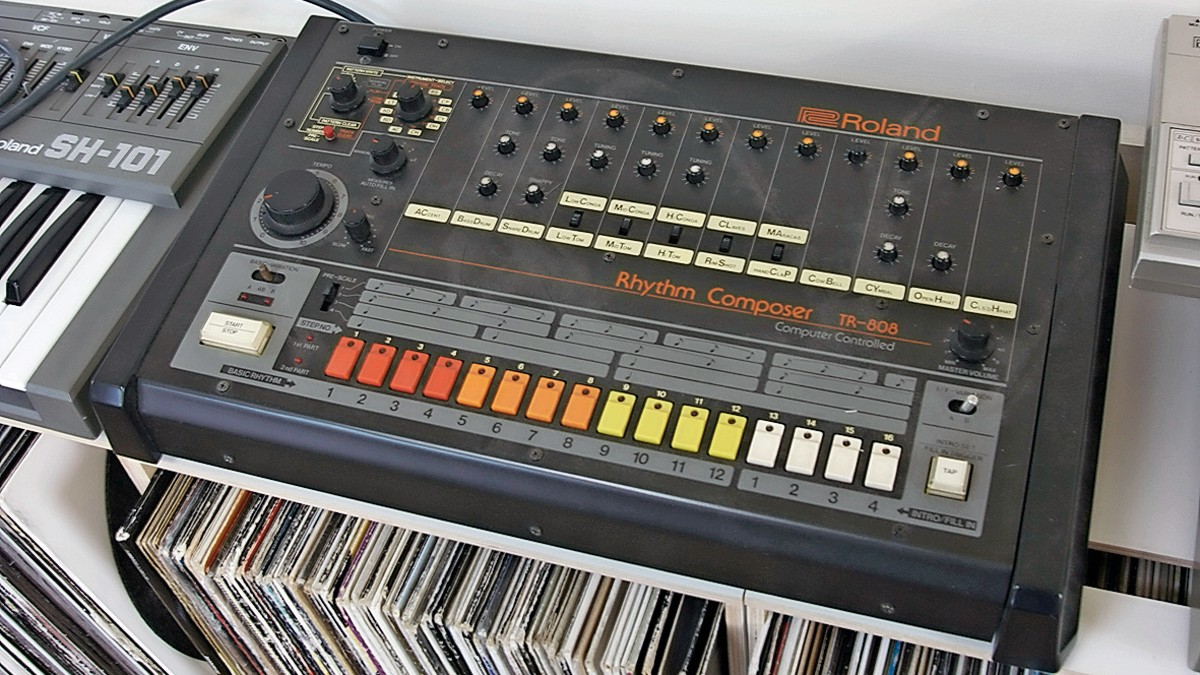
Most trap sound problems come from poor separation, not over-processing. The kick and 808 occupy overlapping frequency ranges, and without deliberate carving, they fight each other constantly.
The 808 owns the sub-bass region below 60 Hz. The kick owns the mid-bass punch region around 90–130 Hz. Give each element its own lane and the mix opens up immediately.
Apply high-pass filters to every non-bass element at 80–120 Hz. Pads, melodies, hi-hats, and snares all carry unnecessary low-frequency energy that builds up fast. Cutting it removes clutter without touching the sound you actually hear.
Element | High-Pass Frequency | Key EQ Move |
|---|---|---|
808 Bass | 25 Hz (sub rumble cut) | Dip around kick punch region (90–130 Hz) |
Kick | 30 Hz | Boost punch at 90–130 Hz, cut boxiness at 300–500 Hz |
Melodies / Pads | 100–120 Hz | High-pass to remove low-end buildup |
Hi-Hats / Snares | 200–300 Hz | High-pass and cut harshness above 10 kHz |
The recommended EQ carve for the kick includes a high-pass near 30 Hz, a boost around 90–130 Hz for punch, and a cut at 300–500 Hz to remove boxiness. On the 808, filter sub-bass below 25 Hz and dip the same punch region where the kick lives. These moves create space for both elements to breathe.
Offsetting 808 MIDI notes by 5–20 ms after the kick hit reduces peak overlap and muddiness without shifting the perceived rhythm. Pair that with a 1–5 ms fade-in on the 808 attack and the kick transient clears before the 808 sustain takes over.
Pro Tip: Solo your kick and 808 together and sweep a narrow EQ boost across 60–200 Hz. Wherever they clash the most is exactly where you need to cut one of them.
3. sidechain compression for kick and 808 interaction
Sidechain compression is the technique that keeps the kick and 808 from colliding in real time. Route the kick to the sidechain input of a compressor sitting on the 808 channel. Every time the kick hits, the compressor ducks the 808 volume briefly, then lets it return.
Use a compressor on the 808 with these starting settings:
Attack: 1–5 ms (fast enough to catch the kick transient)
Release: 80–150 ms (medium release shapes the groove and pump)
Ratio: 4:1 or higher for noticeable ducking
Threshold: set so the 808 ducks 3–6 dB each time the kick fires
Output gain: compensate for any perceived volume loss after compression
The release time is the most creative parameter in this chain. A fast release creates a pumping effect that some producers use intentionally. A slower release keeps the low end smoother and more controlled. Setting sidechain attack and release while the full beat plays, including hi-hats and melodies, helps you dial in the groove rather than guessing in isolation.
Over-compression kills musicality fast. If the 808 sounds like it disappears on every kick hit, pull back the ratio or raise the threshold. The goal is controlled coexistence, not total silence. Multiband sidechaining is an advanced option that lets you duck only the sub frequencies of the 808 while preserving its melodic mid-range content.
4. stereo image and spatial clarity for trap drums
The kick and 808 belong in the center of your mix, in mono. Low-frequency energy below 80 Hz is non-directional, and spreading it wide creates phase issues and a weak, unfocused low end. Using mono sub bass below 80 Hz while keeping mid and high elements in stereo improves translation across every playback system.
Hi-hats and melodies are where you build width and movement. Pan hi-hat variations left and right, use subtle pitch or time-based doubling on melodic loops, and apply tremolo or auto-pan to create a sense of space. These techniques add energy without touching the low end.
Keep kick and 808 centered and mono below 80 Hz
Pan hi-hat variations: main hat center, open hats slightly left or right, rolls panned wide
Use stereo widening plugins like Ozone Imager or iZotope Neutron on melodic layers only
Apply short reverb with a pre-delay of 10–20 ms on snares to preserve the transient before the tail kicks in
Cut hi-hat harshness above 10 kHz with a gentle shelf or dynamic EQ to reduce ear fatigue
Short, controlled reverb and tight hi-hat processing prevent transient smearing and keep the beat punchy and forward. Long reverb tails on drums are the fastest way to make a trap mix sound washed out and amateur.
Pro Tip: Check your mix in mono before you finalize anything. If the low end collapses or the kick disappears, you have a phase or stereo issue that needs fixing before mastering.
5. preparing your trap mix for streaming mastering standards
A mix sent to mastering should have dynamics intact. Never send a fully maximized, brick-walled mix to a mastering engineer or mastering plugin. That removes the headroom needed to shape the final sound.
Streaming-friendly mastering for trap targets an integrated loudness of approximately -14 LUFS for Spotify-compatible playback. Platforms normalize louder tracks down to this target, so over-limiting your mix before mastering wastes dynamics for no gain.
Platform | Target LUFS | True Peak Ceiling |
|---|---|---|
Spotify | -14 LUFS integrated | -1.0 dBTP |
Apple Music | -16 LUFS integrated | -1.0 dBTP |
YouTube | -14 LUFS integrated | -1.0 dBTP |
SoundCloud | -14 LUFS integrated | -1.0 dBTP |
True peak limiting at -1.0 dBTP or -1.5 dBTP before lossy encoding prevents distortion caused by inter-sample peaks. Standard sample peak meters miss these peaks entirely. Use a true peak limiter like FabFilter Pro-L 2 or Waves L2 with true peak mode enabled.
The 808 creates the most problematic peaks in a trap mix. Sub-band limiting or multiband compression on the low end lets you tame 808 transients separately without squashing the entire mix. Check your final mix with a loudness meter like Youlean Loudness Meter to verify LUFS and true peak compliance before sending anything out.
Key takeaways
Disciplined gain staging, precise frequency separation, and controlled sidechain compression are the three non-negotiable foundations of a professional trap mix.
Point | Details |
|---|---|
Gain staging first | Set tracks to -12 dB to -6 dB headroom before any processing to avoid distortion. |
Carve kick and 808 separately | Give the 808 the sub below 60 Hz and the kick the punch at 90–130 Hz to prevent masking. |
Sidechain with intention | Use 4:1 ratio, 1–5 ms attack, and 80–150 ms release to control 808 ducking without killing groove. |
Keep low end mono | Sum sub bass below 80 Hz to mono for better translation and phase coherence. |
Master to streaming targets | Aim for -14 LUFS integrated and -1.0 dBTP true peak ceiling for platform-ready delivery. |
What 20 years of mixing trap taught me
The biggest mistake I see producers make is piling on effects to fix a problem that separation would have solved in 30 seconds. A cluttered low end is almost never a compression problem. It is a frequency assignment problem. Once you give the kick and 808 their own defined zones, the mix starts to breathe on its own.
Sidechain release time is the detail most producers set once and forget. I adjust that release while the full beat is playing, not in solo. The groove lives in that release time. Set it too fast and the low end pumps awkwardly. Set it too slow and the 808 never fully recovers between kick hits.
The 808 timing tweak is the one that surprises producers the most. Pushing the 808 MIDI note 10–15 ms after the kick hit is a small move that makes a real difference in tightness. You do not hear the offset. You just feel the mix get cleaner.
Technical discipline and creative freedom are not opposites in mixing. The rules give you a foundation. Once the mix is clean and separated, you have the headroom to push things creatively without the whole thing falling apart. Reference your mix against tracks you admire on the same speakers, in the same room, every single session. That habit alone will improve your ear faster than any plugin.
— Indepthjaybeats
Get pro-quality trap beats and mixing services
You put in the work on your craft. The beat you rap over should match that energy. Indepthjaybeats has been producing hard 808 trap beats since 2007, with placements in WWE 2K25 and Love And Hip Hop Atlanta proving the quality is real. Every beat in the catalog is built with the separation, punch, and low-end clarity this article covers.
If you want your vocals and beat mixed to streaming standards by someone who knows trap production from the inside, the online mixing and mastering service at Indepthjaybeats is built exactly for that. You get professional results without the guesswork. Grab the free beat pack on the site and hear the difference before you commit to anything.

FAQ
What is the ideal headroom for mixing trap beats?
Set individual tracks to roughly -12 dB to -6 dB of headroom before processing. This prevents plugin distortion and preserves space for mastering.
How do i stop my 808 and kick from clashing?
Assign the 808 sub frequencies below 60 Hz and the kick punch at 90–130 Hz, then use sidechain compression with a 4:1 ratio and 1–5 ms attack to duck the 808 dynamically on each kick hit.
What LUFS should a trap mix target before mastering?
Target approximately -14 LUFS integrated loudness with a true peak ceiling of -1.0 dBTP. This aligns with Spotify and YouTube normalization standards and avoids distortion during lossy transcoding.
Why does my trap mix sound muddy?
Poor frequency separation between the kick, 808, and melodic elements is the most common cause of muddiness. High-pass filter all non-bass elements at 80–120 Hz and apply subtractive EQ to carve conflicting frequencies.
Should the 808 be mono or stereo?
The sub frequencies of the 808 below 80 Hz should be mono. Stereo sub bass creates phase issues and weakens low-end impact on most playback systems, including car speakers and earbuds.