Room acoustics are the single largest variable in vocal recording quality. Before you drop money on a new mic or preamp, the room you record in will make or break your sound. Untreated parallel walls create comb filtering that permanently colors your vocal signal. Knowing how to set up your room for better vocal recordings means controlling reflections, placing your mic right, and building a monitoring setup that keeps your vocalist locked in. None of this requires a professional studio budget. It requires the right knowledge and a willingness to put in the work.
What acoustic treatment is essential for vocal recording rooms?
Room acoustics affect vocal clarity more than any piece of gear you own. An expensive microphone in an untreated room just records the room’s problems with higher resolution. That is the truth most artists learn the hard way.
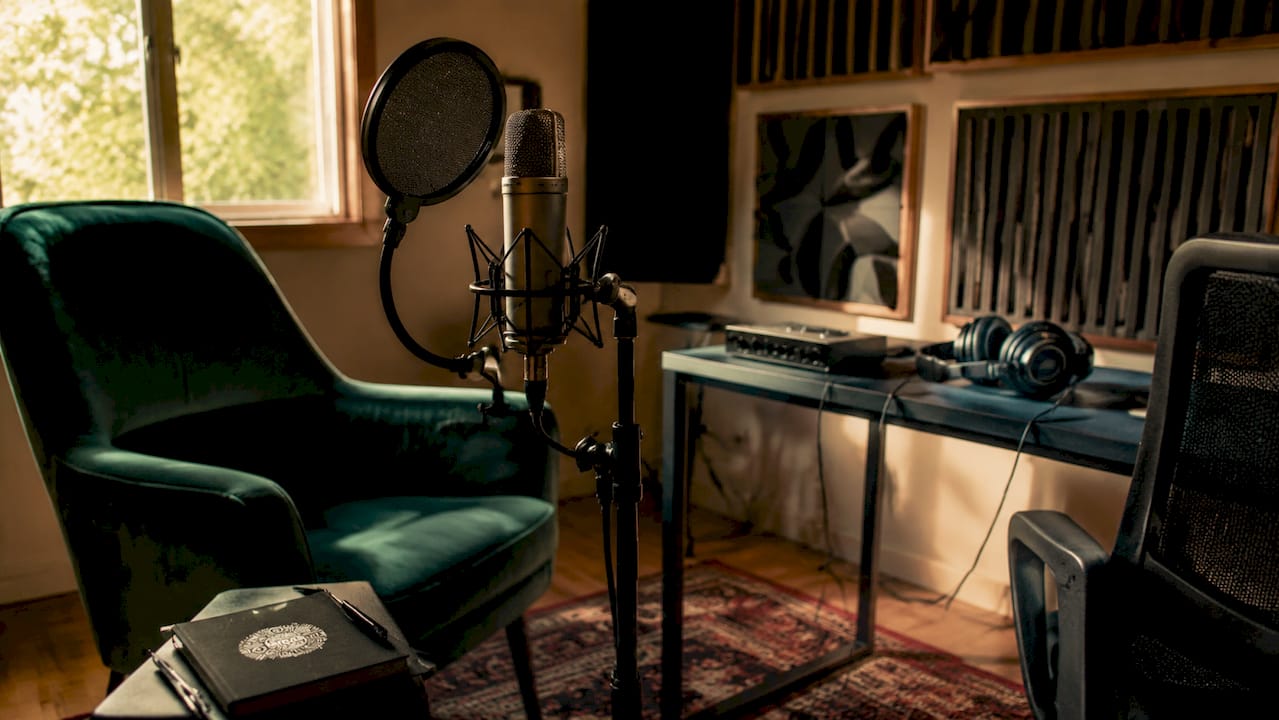
The key measurement to understand is RT60, which stands for reverberation time. It measures how long it takes for sound to decay by 60 decibels after the source stops. Standard untreated bedrooms show RT60 values of 0.4–0.7 seconds, which is too long for clean vocal capture. A 12 m² room with a 2.5 m ceiling needs roughly 12 sabins of absorption to bring RT60 down to an ideal 0.25 seconds. Four 2-inch fiberglass panels get you there.
Here is what actually works for acoustic treatment on a budget:
Broadband absorbers: Two-inch rigid fiberglass or Rockwool panels absorb mid and low frequencies where vocal mud lives. Hang them at first reflection points on side walls and behind the vocalist.
Walk-in closet recording: A closet packed with hanging clothes provides broadband absorption at zero cost. The clothes act like natural diffusion and absorption across a wide frequency range.
DIY panels: You can build effective absorption panels with 2-inch Rockwool and a wood frame for under $40. That is a real solution, not a workaround.
Moving blankets: Thick moving blankets hung behind the mic and vocalist reduce early reflections fast. They are not perfect, but they cut comb filtering significantly.
Pro Tip: Skip the thin foam wedges sold at most music stores. Foam provides only about 0.4 sabins per square meter at 1 kHz and does almost nothing below 250 Hz. That low-mid boxiness you hear on bedroom recordings? Foam will not fix it. Dense materials will.
The spots that matter most are the first reflection points. Stand where your vocalist will stand, and have someone hold a mirror flat against the side walls. Wherever you can see the microphone in the mirror is a first reflection point. Cover those spots first. Then treat the wall directly behind the mic and the ceiling above the recording position.
Treatment method | Frequency coverage | Approximate cost |
|---|---|---|
2-inch fiberglass panels | Broad (125 Hz and up) | $40–$80 DIY |
Walk-in closet with clothes | Broad (natural) | $0 |
Moving blankets | Mid and high | $20–$40 |
Foam wedges | High only (above 500 Hz) | $30–$60 |
How to position your microphone and pop filter for the clearest vocals
Mic placement is where a lot of home recordings fall apart. The fix is simple once you know the rules.
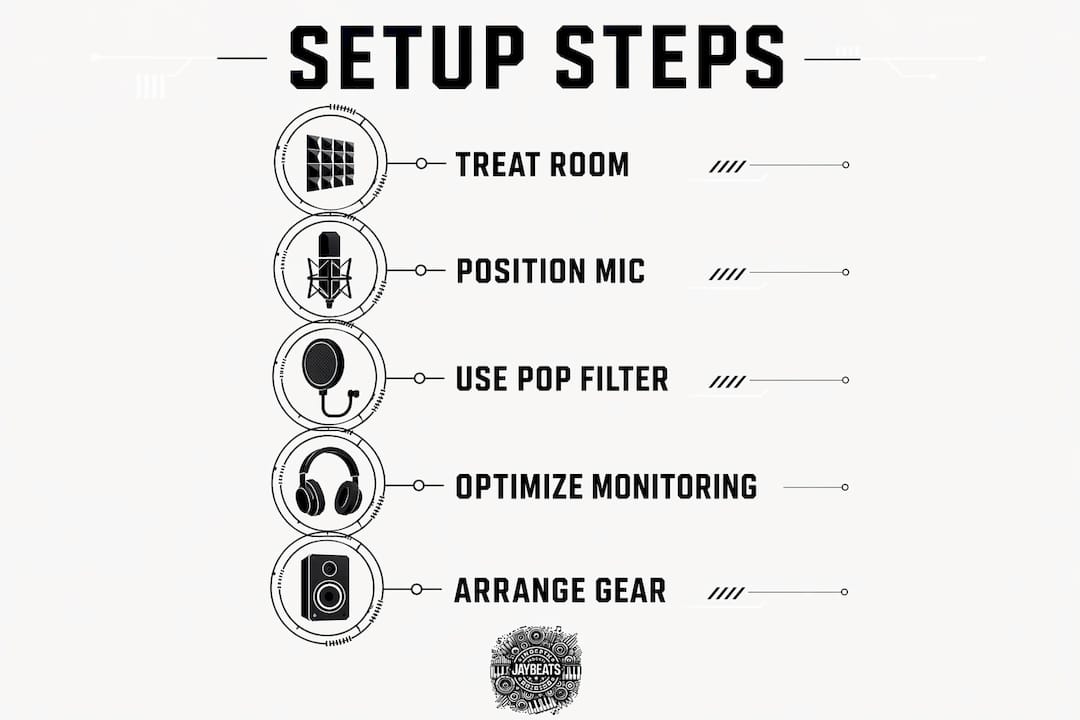
Professional standards place the mic capsule at mouth height, 6–12 inches from the vocalist’s mouth. The pop filter goes 2–4 inches in front of the capsule. That gap between the filter and the mic is not optional. It gives plosive air bursts room to disperse before they hit the diaphragm.
Follow these steps to nail your placement every session:
Set capsule height. The center of the mic capsule should align with the vocalist’s mouth. Not the forehead, not the chin. The mouth.
Measure your distance. Place the vocalist 6–12 inches back from the pop filter. Use a ruler the first time, then mark the floor so you never have to guess again.
Lock in the pop filter. Attach it 2–4 inches in front of the capsule. This distance is your plosive buffer zone.
Angle the mic slightly. Tilting the capsule 10–15 degrees off-axis from the direct mouth position reduces harsh sibilance without losing presence.
Check the wall behind the mic. A bare reflective wall behind the vocalist sends sound straight back into the capsule. Hang a blanket or panel there before you hit record.
Consistency in mic distance matters more than the specific distance you choose. When a vocalist moves closer during an emotional line and pulls back during a softer phrase, the proximity effect shifts the tone and level between takes. That makes comping a nightmare in post. The pop filter solves this problem naturally because the vocalist feels it when they get too close.
Pro Tip: Tell your vocalist to use the pop filter as a physical reference. If they can feel it on their lips, they are too close. That tactile feedback keeps distance consistent without breaking the creative flow.
How does monitoring setup affect vocal performance?
The headphone mix your vocalist hears directly affects the quality of their take. This is one of the most overlooked parts of vocal recording room setup.
Delays above 20 ms in the headphone mix disrupt pitch accuracy and timing. That slight lag makes vocalists second-guess their pitch and rush or drag their timing. Use hardware monitoring or low-latency direct monitoring through your audio interface to eliminate this problem. Most modern interfaces have a direct monitoring switch. Use it.
Here is what to build into your monitoring setup:
Closed-back headphones: Open-back headphones bleed sound into the mic. Closed-back models like the Sony MDR-7506 or Audio-Technica ATH-M50x keep the mix in the ears and out of the recording.
Cue reverb in the mix: A small amount of reverb in the headphone mix makes vocalists feel more confident and relaxed. It does not go to the recording. It just makes the dry signal feel less clinical and harsh.
Turn off studio monitors: Any speaker playing back during recording bleeds into the mic. Kill the monitors before you hit record. Every time.
Set a comfortable level: Loud headphone mixes cause ear fatigue fast. Keep the level comfortable so the vocalist can perform for multiple takes without losing focus.
Performer comfort and a solid headphone mix produce cleaner recordings than expensive equipment in a bad environment. A vocalist who feels good in the headphones will push harder and stay in the pocket longer. That is where the magic happens.
How to arrange your room and gear for a consistent vocal session
Room layout is the last piece of the puzzle. Get this right and every session runs smoother.
Position the vocalist in the longest dimension of the room, facing a treated wall. Facing a hard reflective wall sends early reflections straight back into the mic and creates comb filtering that embeds destructive interference into the recorded signal. That is not fixable in mixing. Treat it at the source.
Follow these room arrangement rules:
Use rugs or thick carpet. Hard floors reflect sound upward into the mic. A thick rug under the vocalist’s feet kills floor reflections fast.
Mark the floor. Put tape marks where the vocalist’s feet go and where the mic stand sits. Consistent positioning means consistent tone across every session and every take.
Hang treatment behind the vocalist. Panels or blankets behind the singer reduce reflections that travel back through the mic. This is as important as treating the wall behind the mic itself.
Stay out of corners. Corners build up bass frequencies and create uneven low-end response. Recording in a corner makes your vocal sound boomy and hard to mix.
Kill ambient noise. Turn off HVAC units, fans, and anything that hums. Record at night if traffic noise is an issue during the day. Ambient noise floors ruin otherwise clean takes.
Pro Tip: A $80 DIY setup with moving blankets, a rug, and floor tape will outperform a $500 mic in an untreated room. Build the room first. Buy the gear second.
Key takeaways
Proper room setup controls reflections and monitoring quality, which are the two factors that determine whether your vocal recordings sound professional or amateur.
Point | Details |
|---|---|
Treat the room first | Dense absorbers like fiberglass panels or closets with clothes beat foam for broad frequency control. |
Mic placement consistency | Keep the vocalist 6–12 inches from the capsule and use the pop filter as a tactile distance guide. |
Low-latency monitoring | Delays above 20 ms disrupt pitch and timing, so use direct hardware monitoring every session. |
Room layout matters | Position the vocalist in the longest room dimension facing a treated wall to reduce comb filtering. |
Mark your positions | Floor tape for feet and mic stand keeps tone consistent across takes and sessions. |
What I’ve learned about room setup after 20 years of sessions
I have been producing since 2007 and I have heard thousands of vocal takes recorded in every kind of space imaginable. The number one mistake I see from new artists is spending money on gear before fixing the room. They buy a $300 condenser mic and record in a bare bedroom with tile floors and wonder why their vocals sound like they were recorded in a bathroom. The mic did not fail them. The room did.
The second thing I see is producers ignoring the headphone mix. You hand a vocalist a dry, harsh signal with no reverb and they tighten up. They lose confidence. They stop performing and start monitoring. Add a little reverb to the cue mix and watch what happens. They relax, they push, they give you the take you actually wanted. That is not a technical trick. That is understanding how people perform.
Consistency is what separates good sessions from great ones. When you mix raw vocals over a beat and every take sounds different because the vocalist kept moving, you are fighting the room in post. Floor tape costs nothing. Use it. Mark the spot, set the mic, and build a repeatable process. The artists who build consistent habits are the ones who build consistent careers.
— IndepthJayBeats
Your vocal recordings deserve beats that match the quality
You put in the work to set up your room right. Now make sure the beat underneath your vocals is built to the same standard.

At Indepthjaybeats, every track is produced with sync placement in mind. The catalog has landed in productions like WWE 2K25 and Love And Hip Hop Atlanta, which means these beats are built to hold up under professional scrutiny. Browse the trap beats catalog or check the boom bap collection to find the right foundation for your vocals. If your recording is clean and your performance is locked in, the mixing and mastering service at Indepthjaybeats will take it the rest of the way.
FAQ
What is RT60 and why does it matter for vocals?
RT60 measures how long sound takes to decay by 60 decibels in a room. Standard untreated bedrooms show RT60 values of 0.4–0.7 seconds, which is too long for clean vocal recordings.
Does foam acoustic treatment work for vocal rooms?
Foam wedges provide minimal absorption below 250 Hz and fail to treat low-mid boxiness. Dense materials like rigid fiberglass panels or Rockwool are far more effective across the full vocal frequency range.
How far should a vocalist stand from the microphone?
Professional standards place the vocalist 6–12 inches from the mic capsule, with the pop filter set 2–4 inches in front of the capsule to control plosives.
Why does my headphone mix affect my vocal performance?
Latency above 20 ms in the headphone mix disrupts pitch accuracy and timing. Use direct hardware monitoring through your audio interface to keep latency at or near zero.
Can I record good vocals without acoustic panels?
A walk-in closet packed with hanging clothes provides broadband absorption at no cost and works well for vocal recording. Moving blankets hung behind the mic and vocalist also reduce reflections significantly for under $40.
Recommended

Get 20+ Free Beats delivered to your inbox
Drop your name and email and I'll send a pack to your inbox right away.
We respect your inbox, no spam. Promise!