Recording and Mixing
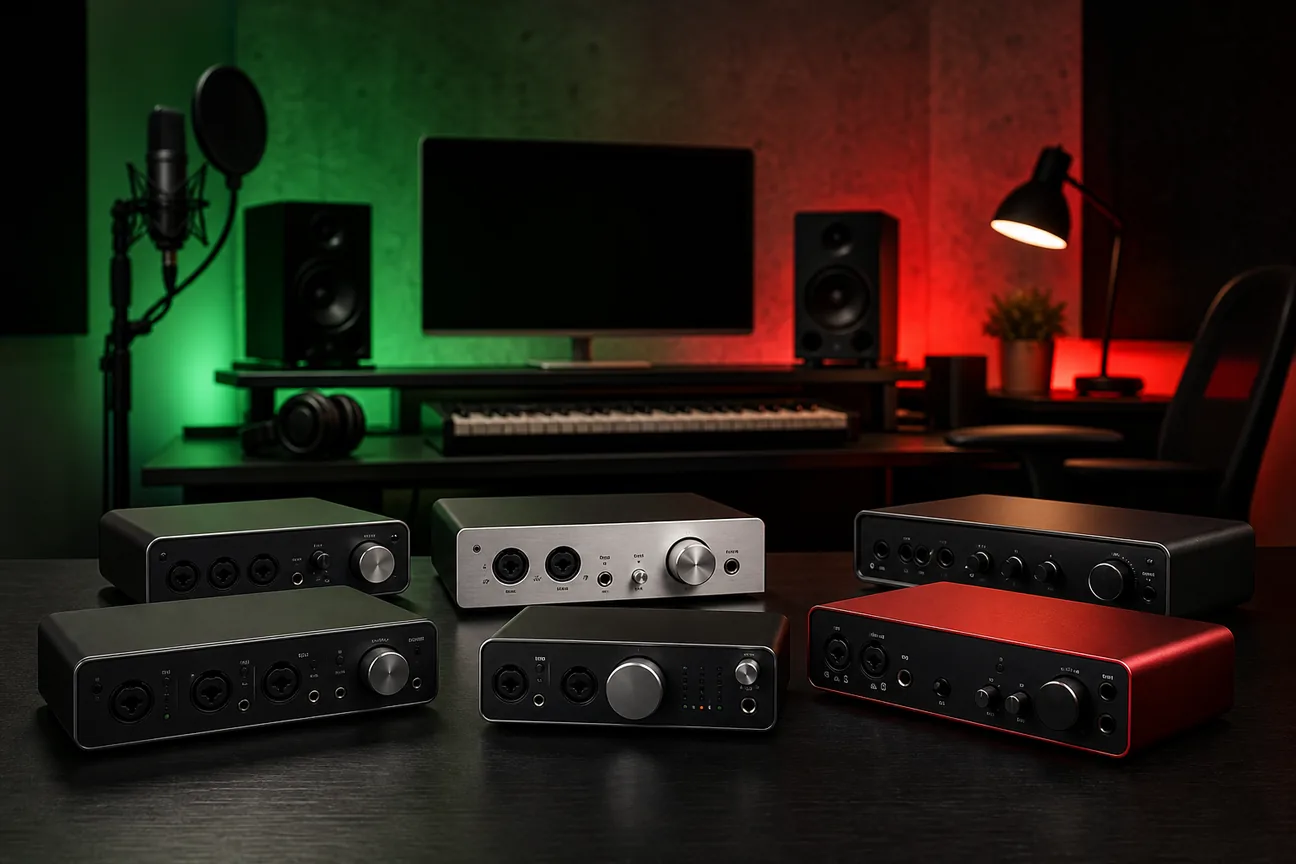
Picking an audio interface can get confusing fast. The best audio interface for a home studio depends less on a flashy sample-rate number and more on what you need to plug in and how you want to monitor.
We analyzed 67 comments and questions from YouTube and Quora about audio interfaces for home studios and found that 25% mentioned insufficient input and output options.
Here are six dope picks for independent artists, with clear notes on what each one can do. I also make beats at Indepth Jay Beats, so I know a clean recording setup is one part of getting a song ready.
Table of Contents
U-PHORIA UMC22 by Behringer: A low-cost starting point for basic home recording
M2 by MOTU: A strong two-input choice for reliable vocal recording
M-Track Solo by M-Audio: A compact pick for simple, portable recording
RØDECaster Duo: A flexible choice for artists who also create podcasts
URX44V by Yamaha: A versatile option for music and video creators
AXE I/O by IK Multimedia: A guitar-focused interface for artists tracking live instruments
How These 6 Audio Interfaces Compare for a Home Studio
Frequently Asked Questions
Conclusion
1. U-PHORIA UMC22 by Behringer: A low-cost starting point for basic home recording
The U-PHORIA UMC22 by Behringer is a small 2 x 2 USB interface for simple recording. It suits a solo artist who needs to record one mic or instrument at a time without spending much on extra features.
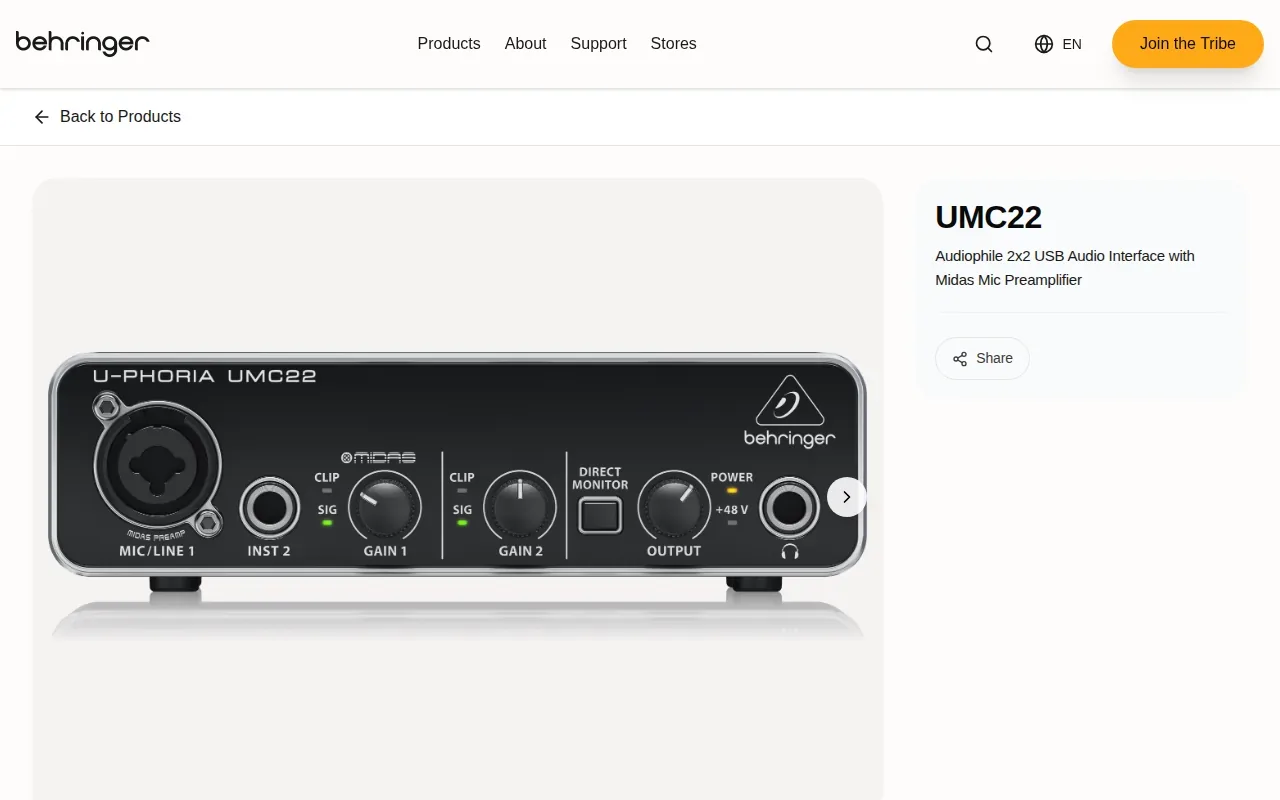
It has one XLR mic input, a separate 1/4-inch instrument input, a headphone output, and outputs for studio monitors. The mic input is useful for a vocal mic; the instrument input is built for a guitar or another instrument-level signal. Those inputs do different jobs, so an adapter won’t turn the instrument input into a second mic preamp.
For a basic vocal take, connect your mic to the XLR input, set the gain so the recording level stays clear, then monitor through headphones. You can record a guitar directly through the instrument input in a separate pass. If you want to sing and play an acoustic guitar into two microphones at once, this input setup won’t cover that workflow.
The UMC22 records at up to 48 kHz. It’s a sensible match for demos, beat vocals, or a first recording desk where keeping the setup simple matters more than expanding the input count. A budget interface can get a take into your computer, but the room, mic placement, and performance still shape the sound.
One setup detail matters on Windows: check the interface’s setup requirements before a session. Mac use is plug-and-play. Plan a little setup time if you’re on a PC, then test the interface with your DAW before a session.
If you’re recording rap vocals, input count is only one piece of the chain. This guide to choosing an interface for rap vocals can help you match your mic and monitoring needs to the way you record.
Choose this one when low cost and basic one-at-a-time recording come first.
2. M2 by MOTU: A strong two-input choice for reliable vocal recording
The M2 by MOTU is a 2-in/2-out USB-C interface for Mac, Windows, and iOS. It fits vocalists and solo musicians who want two inputs available, including for recording a mic and another source in the same session.

Two inputs give you more room to work than a single-mic setup. You could record a vocal and a line-level source together, or capture two mic signals if the input types and session needs match. Check the specific input connections and mic requirements before buying.
The M2 delivers audio quality, speed, and low latency. That last point matters when you’re hearing your voice while recording: delay between your performance and the headphone feed can distract from timing.
USB-C is a current connection worth checking against your computer and cable setup. It doesn’t, by itself, prove a device will work with every operating system version, so confirm compatibility before a session.
For independent rappers and singers, two inputs can be a useful middle ground. You have room to track a vocal and an instrument together without buying a larger system built for several performers. If your aim is one vocal take at a time, you can still keep the second input ready for a later instrument pass.
Pick the M2 if two-input recording and a USB-C connection suit your sessions, and low-latency monitoring is high on your list.
3. M-Track Solo by M-Audio: A compact pick for simple, portable recording
The M-Track Solo by M-Audio is a compact, USB-powered interface made for basic recording on Mac, PC, or iOS. It’s a fit for artists who want a portable rig for vocals, guitar, or stereo gear.
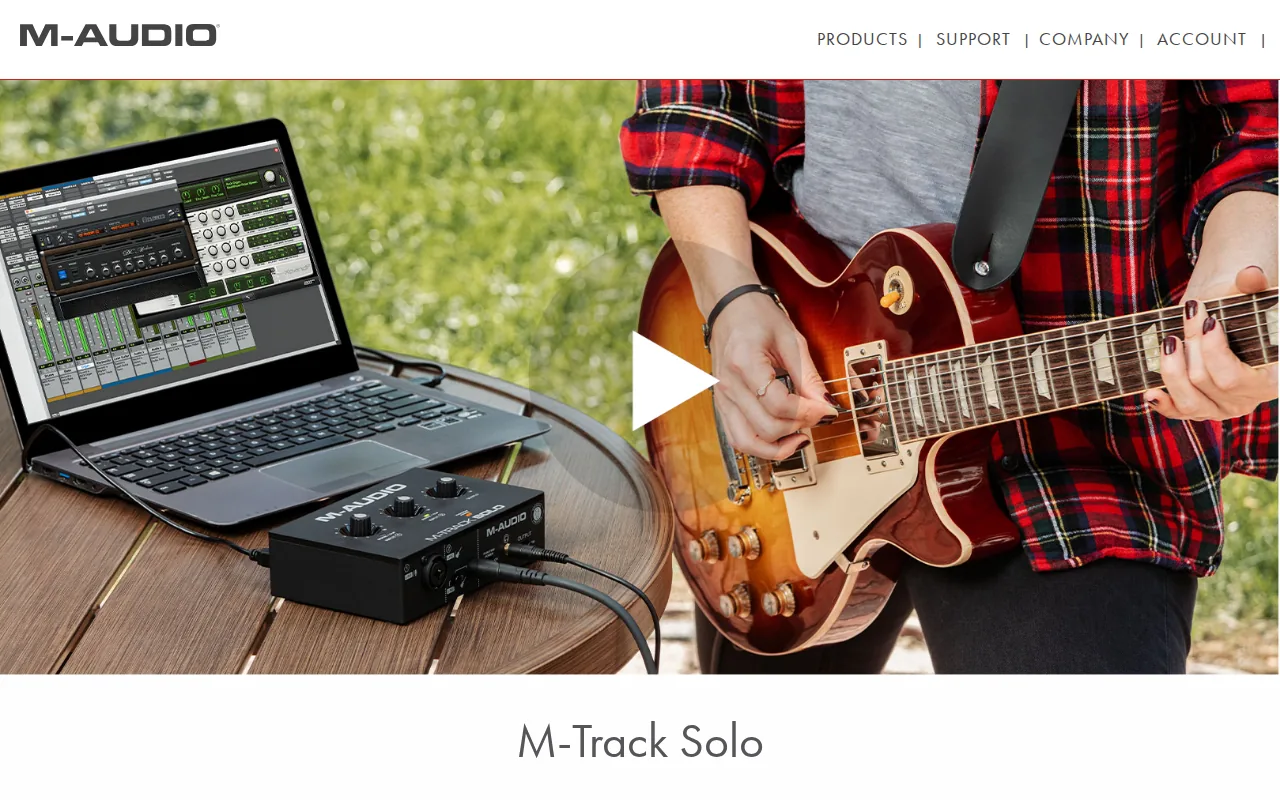
It has one combo Crystal preamp with phantom power, plus a switchable Line/Instrument input. The combo preamp accepts a mic signal and provides phantom power for microphones that need it. The other input can work with a guitar or a line-level source, depending on its setting.
The unit can record at 48 kHz. It can also record two line inputs at once, which is useful for a digital piano, drum machine, or another stereo 1/4-inch source. That’s different from having two mic preamps: count the kind of sources you’ll record, not just the total input number.
USB powers the interface, so it doesn’t need an external power supply. For a session away from your usual desk, that can mean fewer parts to pack. Its zero-latency monitoring sends the input to the main RCA outputs and 1/8-inch headphone output. The USB/Direct switch balances the live input against playback from your computer.
M-Audio also lists bundled software. That can give a new producer tools to start making music, but software bundles aren’t a substitute for checking that your DAW and computer meet the current requirements.
The M-Track Solo is a strong fit when portability and straightforward tracking matter more than recording several microphones at once. For other ways to keep a first studio setup focused, see this home studio setup advice for rappers on a budget.
4. RØDECaster Duo: A flexible choice for artists who also create podcasts
The RØDECaster Duo is a compact audio production console for podcasters and content creators. It suits artists who record music but also host interviews, stream, or make other spoken-word content.
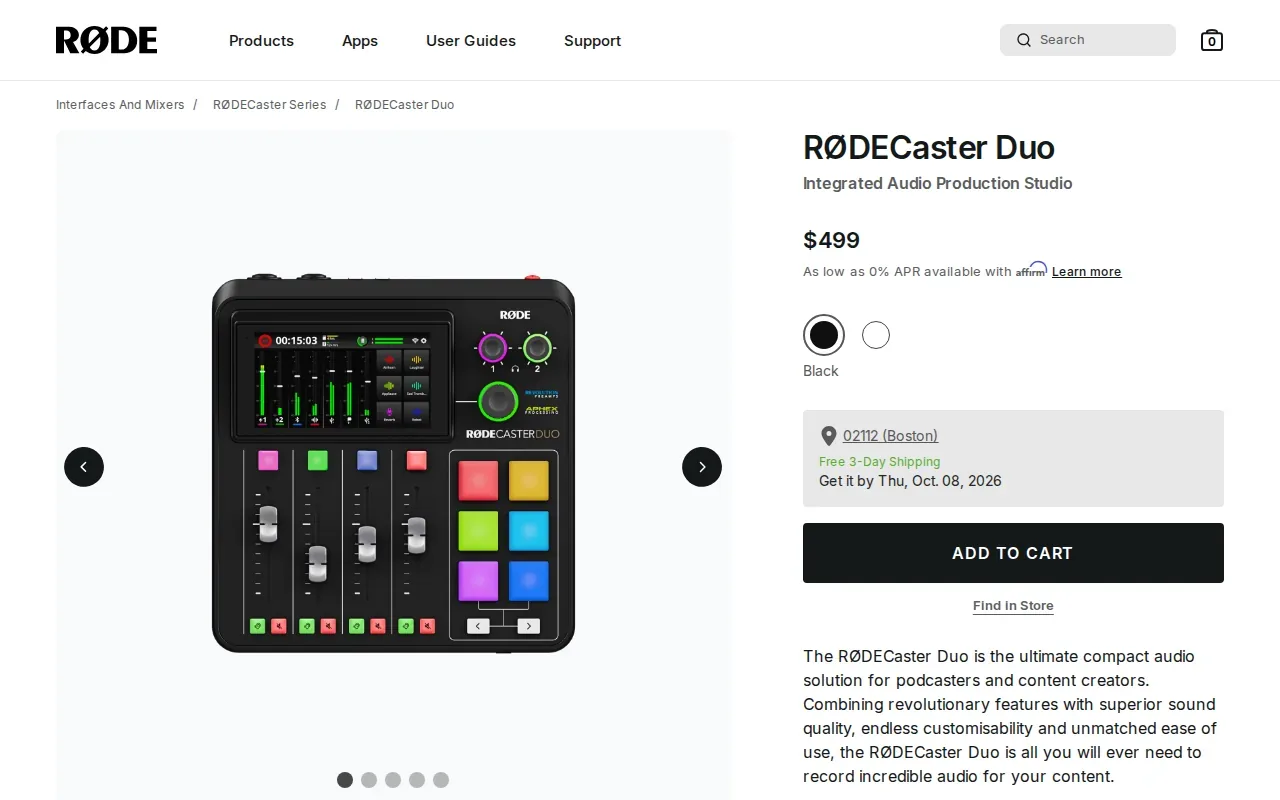
Its touchscreen, rotary encoder, and faders give you hands-on control. The product’s eight inputs can be assigned to physical or virtual faders, so you can set up the mixer around your workflow. That’s a different approach from a small interface built mainly to send a few inputs straight to a DAW.
The unit has two USB interfaces for dual-computer setups. It also has a USB connection for iOS devices and Bluetooth audio support. These options may help when your recording desk has a computer, a mobile device, or a remote audio source in the same production.
Onboard audio processing includes a compressor, noise gate, high-pass filter, de-esser, and three-band EQ for each channel. The console also includes APHEX processing emulations and six programmable SMART pads. You can set the pads to trigger sounds, music beds, voice effects, MIDI commands, or mixer actions.
That feature set is useful when you want to run a show from one desk. But it may be more control than a singer needs to record a lead vocal over a beat. Think about the whole job: if you need podcast routing and hands-on sound control, the extra features have a clear role. If you mainly track one vocal into a DAW, a simpler interface may be a better match.
5. URX44V by Yamaha: A versatile option for music and video creators
The URX44V by Yamaha is a 6-in/4-out USB-C interface with audio and HDMI-USB video support. It’s aimed at creators who need to bring audio and camera or gameplay video into one production setup.
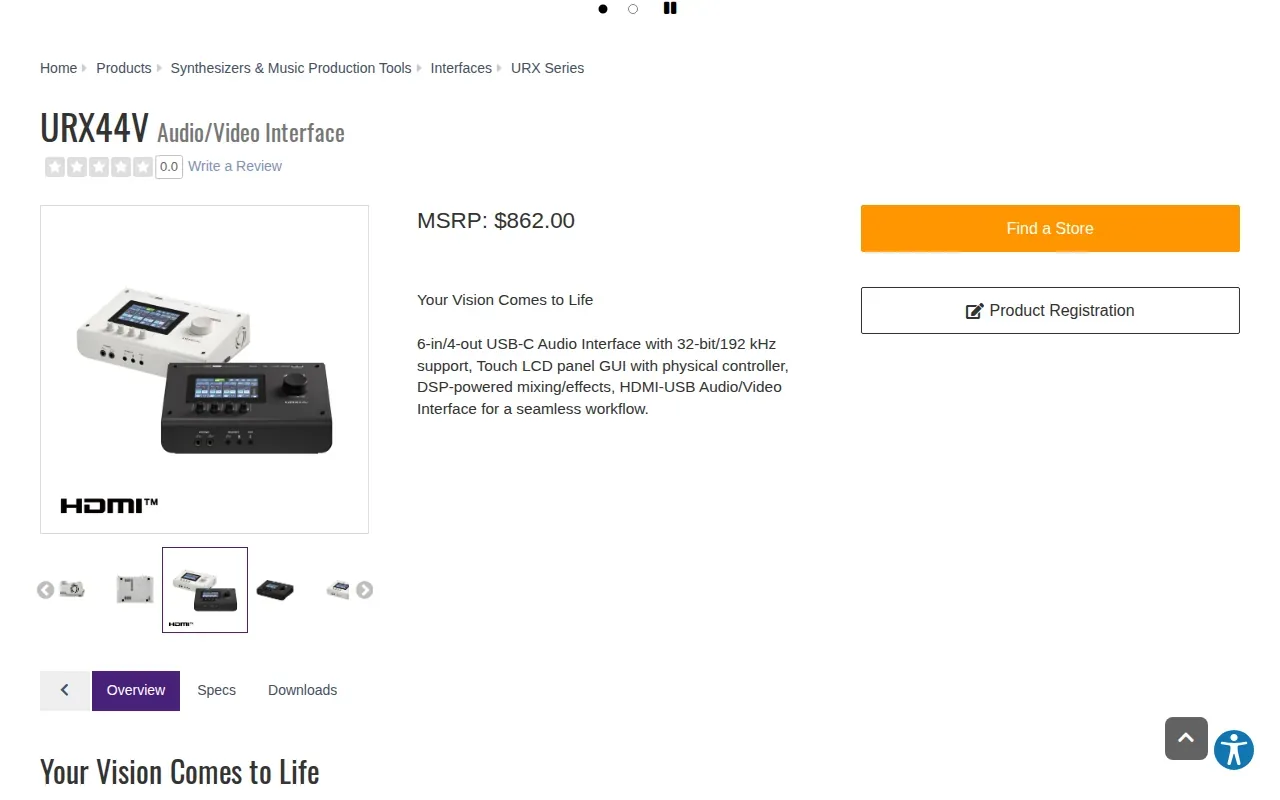
Four combo inputs accept microphones or instruments, and the unit has a stereo mini AUX input. Two headphone ports let collaborators monitor from the same unit. Its HDMI input and thru can handle video sources while audio moves to a computer for recording or streaming.
The URX44V supports 32-bit/192 kHz audio and uses USB-C connectivity. The device also has MAIN and SUB USB connections: MAIN supports 18-track recording and playback, while SUB supports two-track recording and playback. Those channel counts matter more when you’re routing a larger session than when you’re tracking one vocal.
Its built-in tools include gate, compressor, EQ, reverb, amp simulation, and voice changing. Auto Gain can help set input levels, and Clip Safe is designed to prevent sudden distortion. You can save different scenes for distinct uses, such as a music session and a livestream.
For a creator who switches between music recording and video work, HDMI capture can keep the workflow in one place. Yamaha lists use cases such as small film productions, multi-person podcasts, live performance streams, and game streaming. If you only need to record a lead vocal and a beat, those video features may sit idle.
Consider the URX44V when your studio also needs video capture, multiple inputs, or saved setups. It’s a much broader control hub than a basic two-input vocal interface.
6. AXE I/O by IK Multimedia: A guitar-focused interface for artists tracking live instruments
The AXE I/O by IK Multimedia is a professional 2-in/5-out interface and controller designed for recording guitar. It’s the most guitar-specific pick in this group, especially for artists who track live instruments as part of their production process.
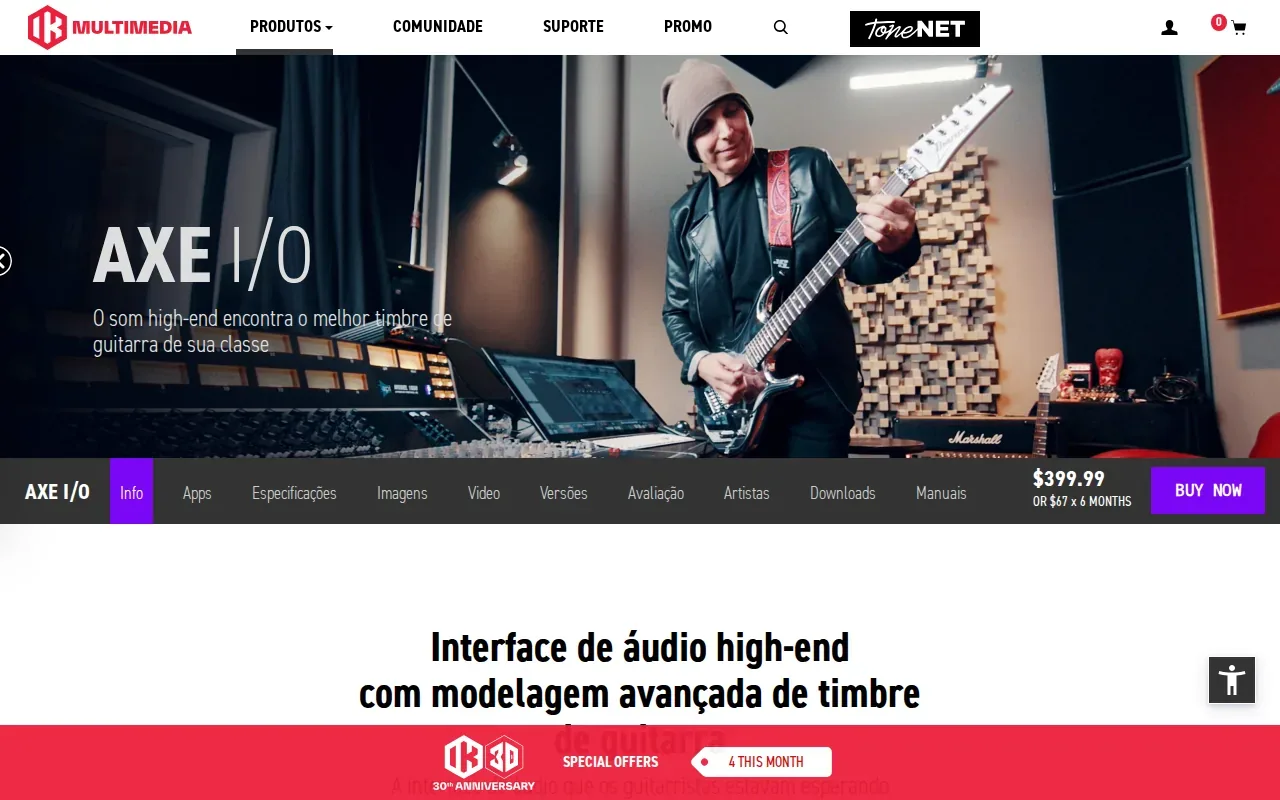
Its design focus is the recording guitarist. The two-input count can suit a guitar-centered session where you don’t need to capture a full group at once. Its five outputs give it a different routing profile from a simple two-output interface.
For a rapper or singer who usually records vocals over a finished beat, this pick may be more guitar-focused than the job requires. But if you play guitar and want an interface built with that work in mind, the dedicated focus could make it a better match than a general-purpose choice.
Before buying any guitar interface, decide how you record: direct into the computer, through a microphone in front of an amp, or with both approaches in one session. Then check whether the interface’s input and output layout suits that chain. Those details affect how quickly you can move from setup to a usable take.
At Indepth Jay Beats, I make original hip-hop instrumentals for independent artists, including trap and boom bap beats. Once your interface is set, you can choose a beat that fits your vocal style and focus on getting the performance down.
Choose AXE I/O when recording guitar is a regular part of your studio work, not an occasional add-on.
How These 6 Audio Interfaces Compare for a Home Studio
An audio interface converts analog sound from a microphone or instrument into digital audio your computer can record. It also sends playback back to headphones or speakers. That basic job stays the same across these picks; the input count, monitoring, and added tools shape which one suits your sessions.
For vocal tracking, start with the number and type of mic inputs. A mic needs a mic preamp, while a guitar pickup usually needs an instrument input. Phantom power matters for microphones that require it. Gain controls set the input level, so watch your DAW meter and keep loud peaks from clipping.
Sample rate and bit depth describe digital recording settings, but the highest number isn’t automatically the best fit. The M-Track Solo and UMC22 list 48 kHz support, while the URX44V supports 32-bit/192 kHz. For many home vocal sessions, reliable monitoring and enough inputs are more useful than chasing the top sample-rate figure.
Interface | Best fit | Useful distinction | Check before choosing |
|---|---|---|---|
U-PHORIA UMC22 by Behringer | Basic one-source recording | Separate mic and instrument inputs | Windows driver setup |
M2 by MOTU | Two-input vocal or instrument sessions | USB-C and stated low-latency performance | Confirm computer compatibility |
M-Track Solo by M-Audio | Portable recording | USB-powered with direct monitoring | One mic preamp; stereo line capture is a separate use |
RØDECaster Duo | Podcasting and content production | Faders, onboard processing, and SMART pads | Whether you need console-style control |
URX44V by Yamaha | Music plus video work | HDMI capture and six-in/four-out audio | Whether the wider feature set fits your workflow |
AXE I/O by IK Multimedia | Guitar recording | Guitar-focused interface and controller | Input and output layout for your rig |
Latency is the delay between the sound you make and what you hear back. Direct monitoring can route the input to headphones without sending it through the DAW first; software monitoring lets you hear DAW effects but may add delay. The M-Track Solo offers direct zero-latency monitoring, and the M2 offers ultra-low latency. Phantom power is a separate mic requirement, not a sound-quality button; turn it on only when your microphone needs it.
If you record drums or a full group at once, count the mic preamps you need before comparing resolution or bundled software. These six options don’t all target that kind of session. For a solo rapper or singer, a two-input setup is often a useful place to start, as long as the input types match the mic and instruments you plan to connect.
Quick pick: Choose the UMC22 for basic, low-cost recording; the M2 for two inputs with stated low-latency performance; or the M-Track Solo for portable use. Pick the RØDECaster Duo for podcast control, the URX44V for audio-video production, and AXE I/O for guitar-centered tracking.
Frequently Asked Questions
What does an audio interface do?
An audio interface turns analog sound from a microphone or instrument into digital audio your computer can record. It also sends computer playback to headphones or speakers. Most interfaces include inputs, gain controls, and some form of monitoring. The number and type of inputs tell you which sources you can record at once.
How many inputs do I need for a home studio?
For one mic at a time, one mic preamp can be enough. Two mic inputs give you room to record two microphones together, or a mic and another suitable source. A band, drum kit, or multi-person podcast may need more. Count the sources you want to record at the same time before choosing.
Do I need 192 kHz for recording vocals?
No, a 192 kHz maximum isn’t a requirement for recording vocals at home. The picks here span different resolution specs, and sample rate is only one part of choosing an interface. Focus first on compatible inputs, clean gain, and monitoring that lets you perform comfortably.
What is direct monitoring?
Direct monitoring lets you hear an input through the interface without routing it through your recording software first. That can reduce the delay you hear while performing. Software monitoring can be useful when you want to hear processing from your DAW, but the delay depends on the system and settings.
Should I buy a podcast mixer or a basic interface?
Choose a podcast-focused console if you need faders, onboard processing, sound pads, or several content sources managed from one desk. A basic interface is often a better fit if your main task is recording vocals or instruments into a DAW. The right pick depends on your daily recording workflow.
Conclusion
For a solo artist who wants a compact setup, start by matching the interface inputs to your mic and instruments; the M2 is a strong two-input option, while the M-Track Solo suits portable basics. Then record a test take and check your monitoring before a full session. When you’re ready to build a song, Indepth Jay Beats has original beats and custom production options for independent artists.