Mixing rap vocals in GarageBand is defined as the process of shaping a raw vocal recording into a polished, punchy performance that cuts through your beat using EQ, compression, reverb, and delay. You do not need expensive third-party plugins to get there. GarageBand’s built-in tools run on the same engine as Logic Pro, which means pro-quality results are within reach right now. This guide breaks down every step, from recording prep to final tweaks, so you can build a vocal mix that actually sounds like something.
How to mix rap vocals in GarageBand for beginners: start with your recording setup
The best mix in the world cannot save a bad recording. Clean takes reduce the time you spend fixing problems later and produce a more natural vocal sound. Get this foundation right before you touch a single plugin.
Set up your space and gear correctly:
Record in the quietest room you can find. Close windows, turn off fans, and hang a blanket behind your mic if the room sounds too live.
Use a USB condenser microphone as your starting point. It captures detail without requiring an audio interface, which keeps your setup simple.
Place a pop filter 2–3 inches in front of the mic. It kills plosive sounds like “P” and “B” that distort recordings.
Position yourself 3–4 inches from the mic. This distance controls the proximity effect, which causes bass buildup when you get too close.
Set GarageBand’s sample rate to 44.1kHz or 48kHz in Preferences. Either setting gives you clean audio for rap vocal work.
Watch your input level in GarageBand. Aim for peaks around -12dB to -6dB. Anything hitting 0dB will clip and distort.
Pro Tip: Record a test take and listen back through headphones before committing to your session. You will catch room noise, mic placement issues, and level problems before they waste your time.
One mistake beginners make constantly is mixing vocals in solo mode. Always play the beat while you record and while you mix. Your vocal needs to sit inside the track, not float above it in isolation.
What is the right way to EQ rap vocals in GarageBand?
EQ is the tool that shapes your vocal tone. For rap vocals, the goal is clarity and presence. You want the voice to cut through kicks, 808s, and hi-hats without sounding thin or harsh.
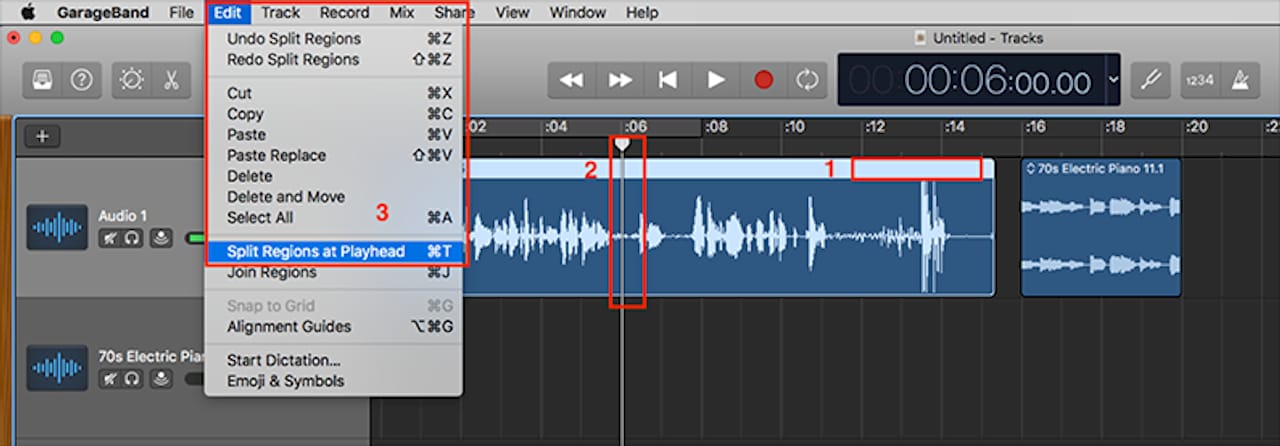
Follow these steps in GarageBand’s Channel EQ:
Apply a high-pass filter first. Cut everything below 80–100Hz for male vocals and 120–150Hz for female vocals. Sub-bass in that range competes directly with your kick and 808, and your vocal does not need it.
Reduce the boxy midrange. Pull down 2–4 dB somewhere between 300–500Hz. This frequency range makes vocals sound like they were recorded inside a cardboard box. A gentle cut cleans that up fast.
Boost presence at 2–5kHz. Add 2–3 dB in this range to help the vocal cut through the mix. This is where consonants and articulation live, which matters a lot for rap clarity.
Add air above 8–10kHz. A small shelf boost of 1–2 dB here opens up the vocal and gives it a professional sheen without sounding harsh.
Check for proximity effect buildup. If your vocal still sounds muddy after the high-pass filter, cut around 200–400Hz to address bass buildup caused by recording too close to the mic.
Here is a quick reference for rap vocal EQ targets:
Frequency Range | Action | Purpose |
|---|---|---|
Below 80–150Hz | High-pass filter cut | Remove sub-bass mud competing with 808s |
300–500Hz | Cut 2–4 dB | Reduce boxy, hollow tone |
2–5kHz | Boost 2–3 dB | Add presence and consonant clarity |
8–10kHz and above | Shelf boost 1–2 dB | Open up the vocal with air |
Never over-EQ. Make your moves while the beat is playing. A boost that sounds great in solo can sound completely wrong when the full track hits. Trust your ears in context, not in isolation.
How to use compression for rap vocals in GarageBand
Compression controls the dynamic range of your vocal. In rap, where delivery shifts from a whisper to a shout within a single bar, compression keeps the volume consistent so every word lands with equal weight.
Start with these settings in GarageBand’s Compressor plugin:
Ratio: 3:1 to 4:1. This range controls dynamics without killing the energy of the performance. Higher ratios flatten the vocal too much.
Attack: 5–15ms. A slightly slower attack lets the initial consonant punch through before the compressor kicks in. Attack times that are too fast squash the punch right out of the vocal.
Release: 100–200ms. This setting controls how quickly the compressor lets go. Too slow causes pumping artifacts that sound unnatural.
Threshold: adjust until you see 4–8 dB of gain reduction on the loudest parts. That range tightens the vocal without making it sound processed.
Makeup gain: turn it up to compensate for the volume lost during compression. Your vocal should feel louder and more controlled after compression, not quieter.
Pro Tip: If your rapper has an aggressive, punchy delivery, lean toward the slower attack end of 10–15ms to preserve that energy. For a more controlled, melodic rap style, a faster attack around 5ms smooths things out nicely.
Over-compressing is the most common beginner mistake. If the vocal sounds flat, lifeless, or like it has no dynamics at all, back off the ratio or raise the threshold. Compression should feel invisible when done right.
What reverb and delay settings work best for rap vocals?
Reverb and delay add space and dimension to your vocal. The key word for rap is subtle. Too much wet effect buries the vocal in the mix and makes lyrics hard to understand.
Use these settings as your starting point:
Reverb type: small room or studio. Avoid large hall settings. They wash out rap vocals and push the voice too far back in the mix.
Reverb wet/dry mix: 20–30%. This range adds space without washing out the vocal. Anything above 35% starts to sound like the rapper is performing in a cave.
Reverb size: 0.3–0.5. Keep the room small and tight.
Delay type: tempo-synced, dotted eighth note. This setting locks the delay rhythm to your beat, which fills gaps between phrases without sounding random.
Delay mix level: 15–20%. Subtle enough to feel like space, not an echo chamber.
Delay feedback: 20–30%. Controls how many times the echo repeats. Keep it low for rap.
Vocal doubles and ad-libs need their own treatment. Blend doubles 8–10 dB below the lead vocal and pan them 10–20% off center. Push ad-libs lower in the mix and pan them wider, up to 50%, to create stereo width. This approach builds energy and dimension without cluttering the main performance.
How do GarageBand vocal presets work for rap vocals?
GarageBand includes vocal presets that apply EQ, compression, and reverb chains in one click. They are useful starting points, but they are never a finished product. Presets require tweaking to match your specific voice and beat.
Here is how to use them effectively:
Load a preset from Smart Controls. Click the preset name in the bottom panel and browse the Vocals category. Options like “Bright Vocal” or “Hip Hop Vocal” give you a solid starting chain.
Enable pitch correction if needed. GarageBand’s built-in pitch correction works in the style of Auto-Tune. Set the response speed to taste. Faster response gives you that hard Auto-Tune effect; slower response corrects pitch naturally.
Adjust reverb after loading. Most presets run reverb too high for rap. Pull the wet mix down to the 20–30% range immediately.
Check compression settings. Presets often use generic ratios. Dial in the 3:1 to 4:1 range and set your gain reduction to 4–8 dB as covered earlier.
Use volume automation for final polish. Draw in volume automation on the vocal track to ride up quieter lines and pull down anything that pokes out too loud. This step separates a good mix from a great one.
Pro Tip: Always listen to your preset-loaded vocal against the beat before making any adjustments. Sometimes a preset is closer than you think, and you only need one or two small tweaks to make it work.
The biggest mistake with presets is relying on them completely. A preset built for a bright female pop voice will not work on a deep male rap vocal without changes. Treat every preset as a rough sketch, not a finished painting. For deeper guidance on making your rap sound professional, the fundamentals always apply.
Key Takeaways
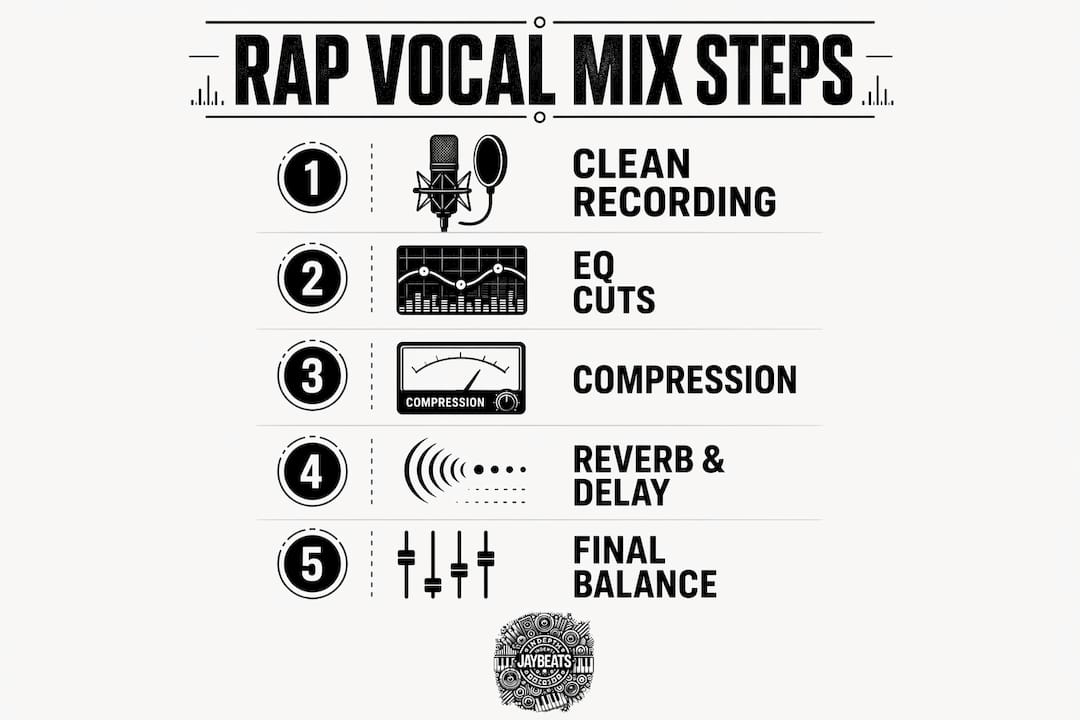
Mixing rap vocals in GarageBand requires clean recordings, precise EQ cuts, controlled compression, and subtle spatial effects applied in the right order with the beat always playing.
Point | Details |
|---|---|
Clean recording first | Minimize room noise and set input levels to -12dB to -6dB before mixing. |
High-pass filter is non-negotiable | Cut below 80–150Hz to remove sub-bass mud competing with kicks and 808s. |
Compression ratio 3:1 to 4:1 | Target 4–8 dB of gain reduction to control dynamics without killing energy. |
Keep reverb and delay subtle | Set reverb wet mix at 20–30% and delay mix at 15–20% to maintain vocal clarity. |
Presets are starting points | Always adjust reverb and compression after loading a preset to fit your voice. |
What I actually think about mixing rap vocals in GarageBand
Here is the real talk: most beginners spend too much time chasing plugins and not enough time learning signal flow. I have been producing since 2007, and the artists who improved fastest were the ones who committed to understanding their tools deeply, not the ones who kept downloading new ones.
GarageBand’s stock plugins are genuinely good. The EQ is clean, the compressor is functional, and the reverb is usable. The gap between a GarageBand mix and a Logic Pro mix is smaller than people think. The real gap is between producers who understand what each tool does and those who do not.
The other thing I see constantly is artists who record in bad rooms and then try to EQ their way out of the problem. You cannot EQ out a room. You can reduce it, but you cannot eliminate it. Spend thirty minutes treating your recording space before you spend thirty minutes on plugins. Hang a blanket, close the door, record at night when it is quiet. That investment pays off more than any plugin ever will.
Mix with the beat playing. Always. Every single time. Your vocal does not exist in a vacuum. It lives inside a track with 808s, hi-hats, and pads all competing for space. The only way to make good decisions is to hear everything together. This one habit alone will improve your mixes more than any technical tip.
Keep practicing. The ear develops over time. Your tenth mix will sound better than your first, and your fiftieth will sound better than your tenth. Trust the process and keep building.
— Indepthjaybeats
Practice your mix with beats built for rap vocals
Getting your mixing techniques right means nothing without quality beats to practice on. Indepthjaybeats has been building trap and boom bap beats since 2004, with placements in productions like WWE 2K25 and Love and Hip Hop Atlanta.

These beats are built with the right frequency space for rap vocals to sit cleanly. The low end is tight, the mids are open, and the mix gives your vocal room to breathe. Whether you are working on your EQ technique or dialing in your compression settings, practicing on buy hip hop beats built by an experienced producer makes the process faster and more rewarding. Grab a free beat pack and put everything you learned here to work.
FAQ
What plugins do I need to mix rap vocals in GarageBand?
You do not need any third-party plugins. GarageBand’s built-in EQ, compressor, and reverb run on the same engine as Logic Pro and are fully capable of producing professional rap vocal mixes.
What is the best EQ setting for rap vocals in GarageBand?
Apply a high-pass filter cutting below 80–100Hz for male vocals and 120–150Hz for female vocals, reduce 300–500Hz by 2–4 dB, and boost 2–5kHz by 2–3 dB for presence.
How do I stop my rap vocals from sounding muddy in GarageBand?
Cut sub-bass frequencies below 80–150Hz with a high-pass filter and reduce the 200–400Hz range if proximity effect from close mic placement is causing extra bass buildup.
Should I use reverb on rap vocals in GarageBand?
Yes, but keep the wet mix at 20–30% using a small room or studio reverb type. Too much reverb pushes the vocal back in the mix and makes lyrics hard to understand.
How do I make my rap vocals sit in the beat in GarageBand?
Always mix with the beat playing, never in solo mode. Set your lead vocal level first, then blend doubles 8–10 dB below and pan ad-libs wider to create depth without cluttering the main vocal.
Recommended

Get 20+ Free Beats delivered to your inbox
Drop your name and email and I'll send a pack to your inbox right away.
We respect your inbox, no spam. Promise!